This is a practical guide to Claude Code from a non-developer.
I have built 5 AI systems in 6 months without writing code from scratch. I will show you real screenshots, how I use Claude Code, and how I built my systems.
I run three active companies: WEDOHYPE, Liberators AI and LUXMII, a fashion ecommerce business. And with all of them I have one problem.
I spend far too many hours a day on repetitive work: proposals, content briefs, ads (creatives + campaigns), carousel design, video edits, blog posts, CRM updates, meeting notes.
None of it is rocket science, sure, but all together it takes more than 8 hours every day.
Six months ago I stumbled onto Claude Code. I am not a developer, I am a founder and a marketer. Even so, to date I have built 5 complete AI systems that are live and help me systematize and automate my processes wherever I can.
Heads up: I first saw the "beginner to advanced" framework well articulated by Charlie Hills on his Substack. But the examples below are all from my own projects, with my own commands and my own workflow.
What exactly is Claude Code
Claude Code is a CLI tool. You install it in the terminal or in an IDE like VS Code, it runs locally on your machine, and it has real access to your files.
It reads code, writes code, runs commands, calls APIs, searches the web. It is an autonomous AI agent with access to your system. Not a chatbot in a browser tab.
Here you will say: "But I am not a developer". Fair objection. But the paradox is that Claude Code is not only for coding.
It is for business workflows. Proposal generation, content production, CRM automation, lead enrichment, carousel design, video B-rolls, blog posts (like this one). The examples below are all from real production, not demos.
Differences from other tools:
- ChatGPT: a web interface. It has no access to your files, your terminal, or your services.
- Cursor: an IDE with an AI assistant. Good for editing code. Not the same as an autonomous agent that runs tasks end to end.
- Claude.ai (web): good for conversational work. No file system access. No command execution.
Claude Code fills that gap.
Setup in 5 minutes
You will need three steps, even without a developer background.
- Subscription: Buy Claude Pro at 20 dollars a month (from claude.ai). Unfortunately the free version of Claude does not include Claude Code.
- Installation: Open a terminal and run the command from the official docs. It takes about 2 minutes.
- Authentication: Type
claudein the terminal, log in with your Claude account. Done.
Then: cd into your project folder and type claude again. It opens a session in that folder.
From then on, whatever you ask happens in the context of that project.
Which software I use
I do not work in the terminal. I work with Antigravity, a new AI-first IDE from Google that integrates Claude Code as a first-class tab.
It has a sidebar with the project files, a tabbed interface (I can have parallel running sessions), and, for me, a cleaner UX than the terminal.
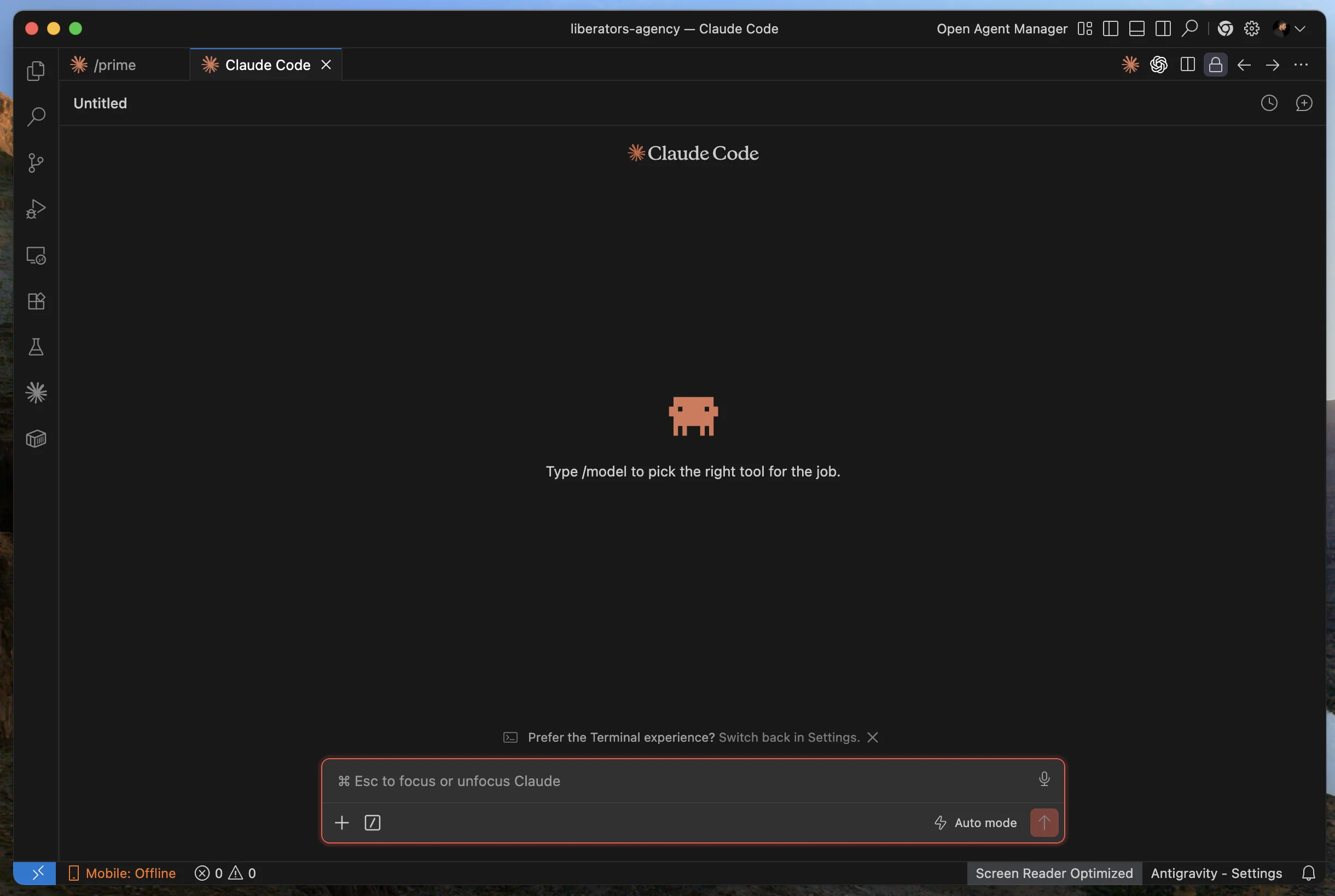
The welcome screen prompts you to choose a model. I usually run claude-opus-4-7 (1M context) for heavy projects, claude-sonnet-4-6 for lighter ones.
You will wonder whether Antigravity is necessary. No, you can run in a plain macOS terminal, in VS Code or whatever else suits you. I prefer Antigravity.
The CLAUDE.md file: your biggest leverage
If you want to get real value out of Claude Code, there is one thing you have to get right: the CLAUDE.md.
It is a markdown file inside your project folder. It is read automatically at the start of every session, and it goes in as a standing brief before each of your messages.
Because Claude has no memory between sessions (stateless), CLAUDE.md is the way to tell it "this is the project, these are the principles, this is the architecture" once, and have it remember always.
Practical rules:
- Critical constraints at the top (primacy bias)
- Bullet points, short headings (high info density)
- 200 to 500 lines max
- No entire API docs (link, do not paste)
- Update when Claude repeats the same mistake
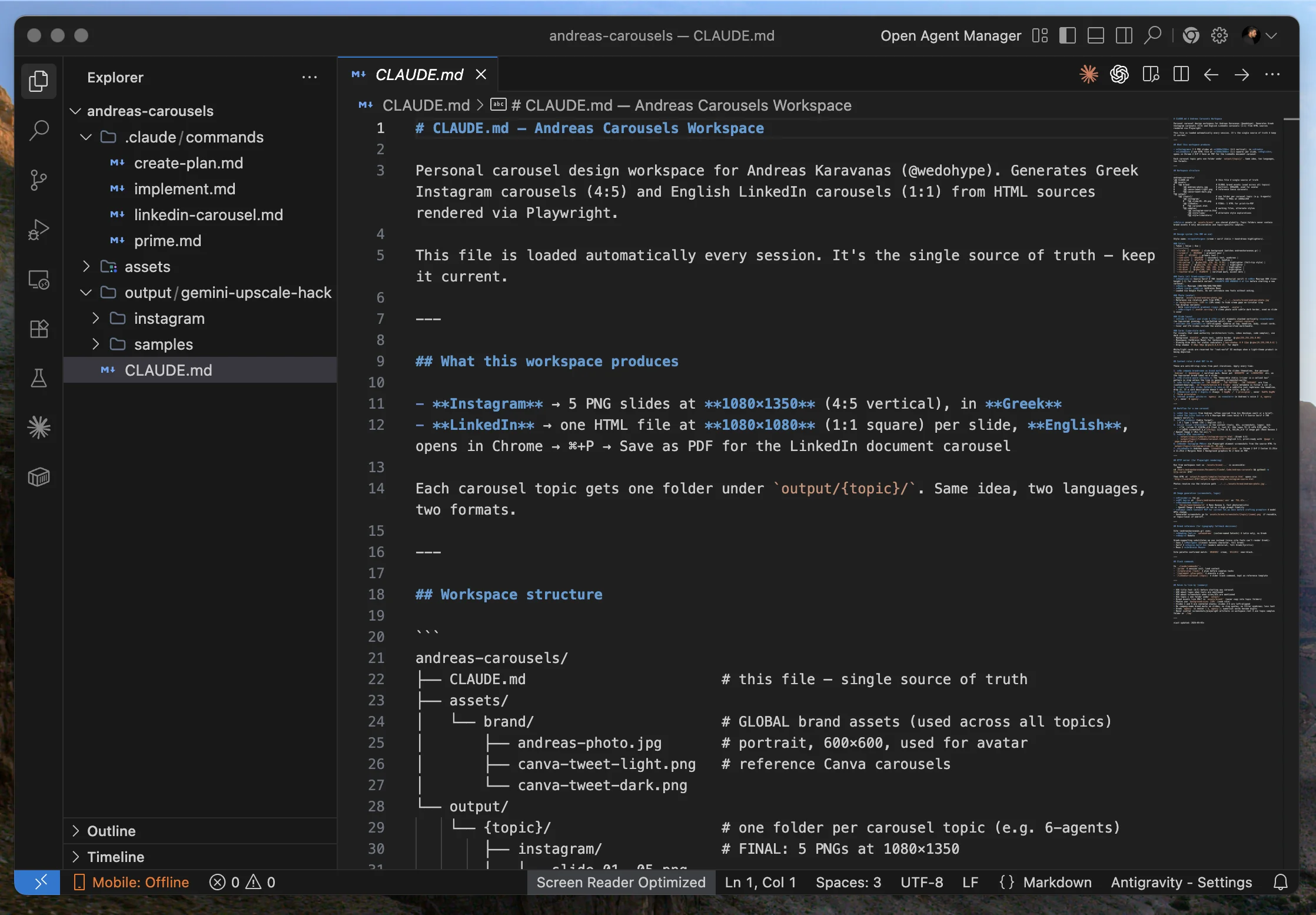
The CLAUDE.md of the andreas-carousels project, open in Antigravity. In the sidebar you can see the structure: .claude/commands/ with create-plan.md, implement.md, linkedin-carousel.md, prime.md.
In the andreas-carousels project, the CLAUDE.md explains what we produce: 5 PNG slides, Greek IG and LinkedIn carousels.
When I open a new session there, Claude knows everything immediately. No need to repeat instructions.
The context window: your most valuable asset
Before we move on to commands, one important concept. The context window is the memory of the session.
Everything you write and everything Claude reads (files, MCP responses, system prompts) fills that window. When it hits the limit, it starts to forget.
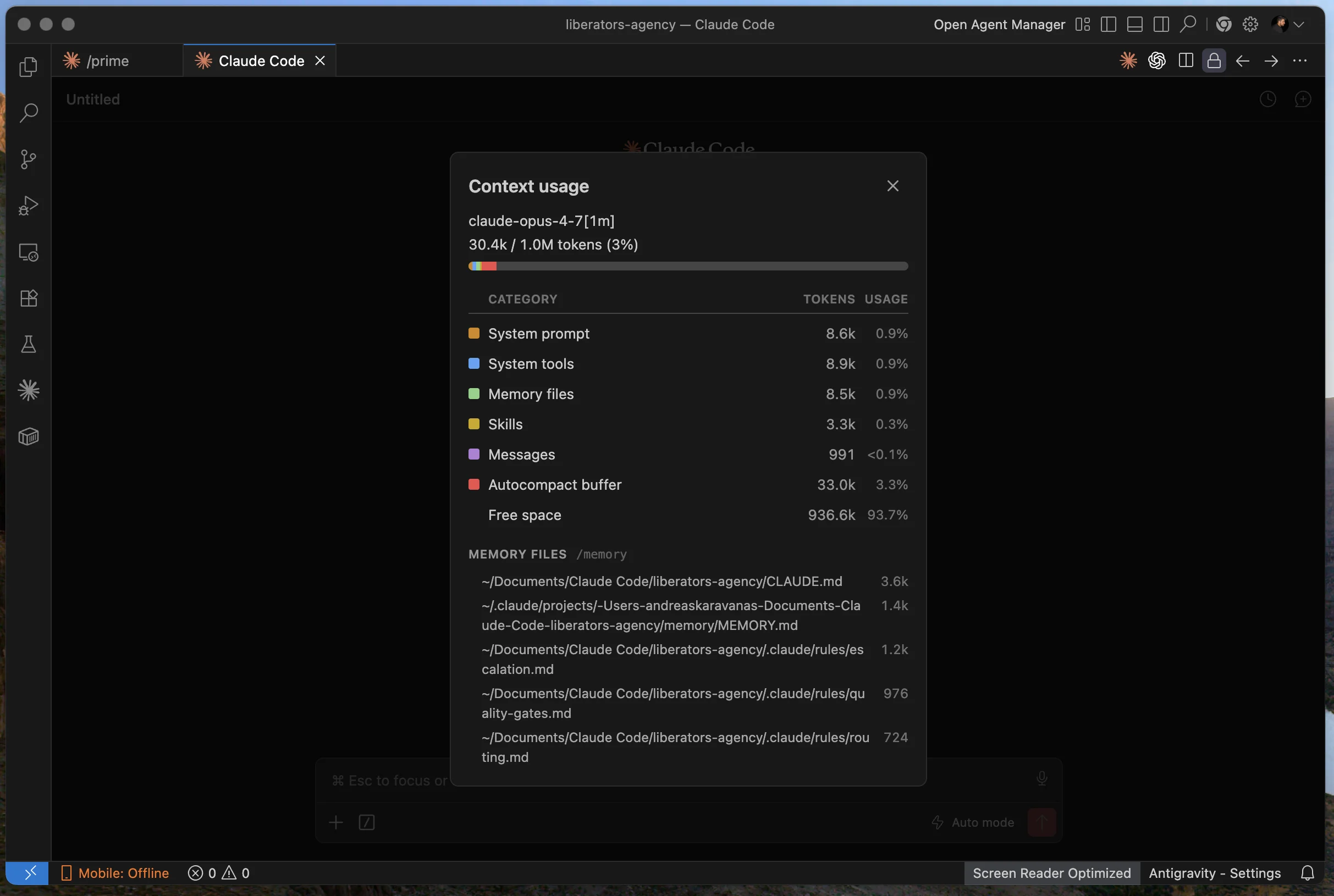
The /context output. In this session with claude-opus-4-7 (1M), I am using just 30.4K of 1M tokens (3%). I can see which memory files are loaded at the bottom (CLAUDE.md, MEMORY.md, escalation.md, quality-gates.md, routing.md).
Slash commands I use every day to manage the context:
/context: See how much you have used and what is loading it/compact: Shrinks the previous context into a summary. Frees up around 50%/clear: A hard reset for a new task. Clears everything except CLAUDE.md/model: Switch model mid-session (opus for heavy work, sonnet for light)/permissions: Pre-allow safe commands so it does not ask every time
On opus-4-7 (1M) I have 1 million tokens. That is about 750K words of context. In practice I almost never fill it, but it is nice to know.
MCPs: the real magic
This is where Claude Code gets genuinely interesting. MCP (Model Context Protocol) is the standard that lets Claude talk to external services.
Gmail, Drive, Notion, Figma, Stripe, or whatever else you want. You do not build from scratch. There is a whole ecosystem of ready-made MCP servers.
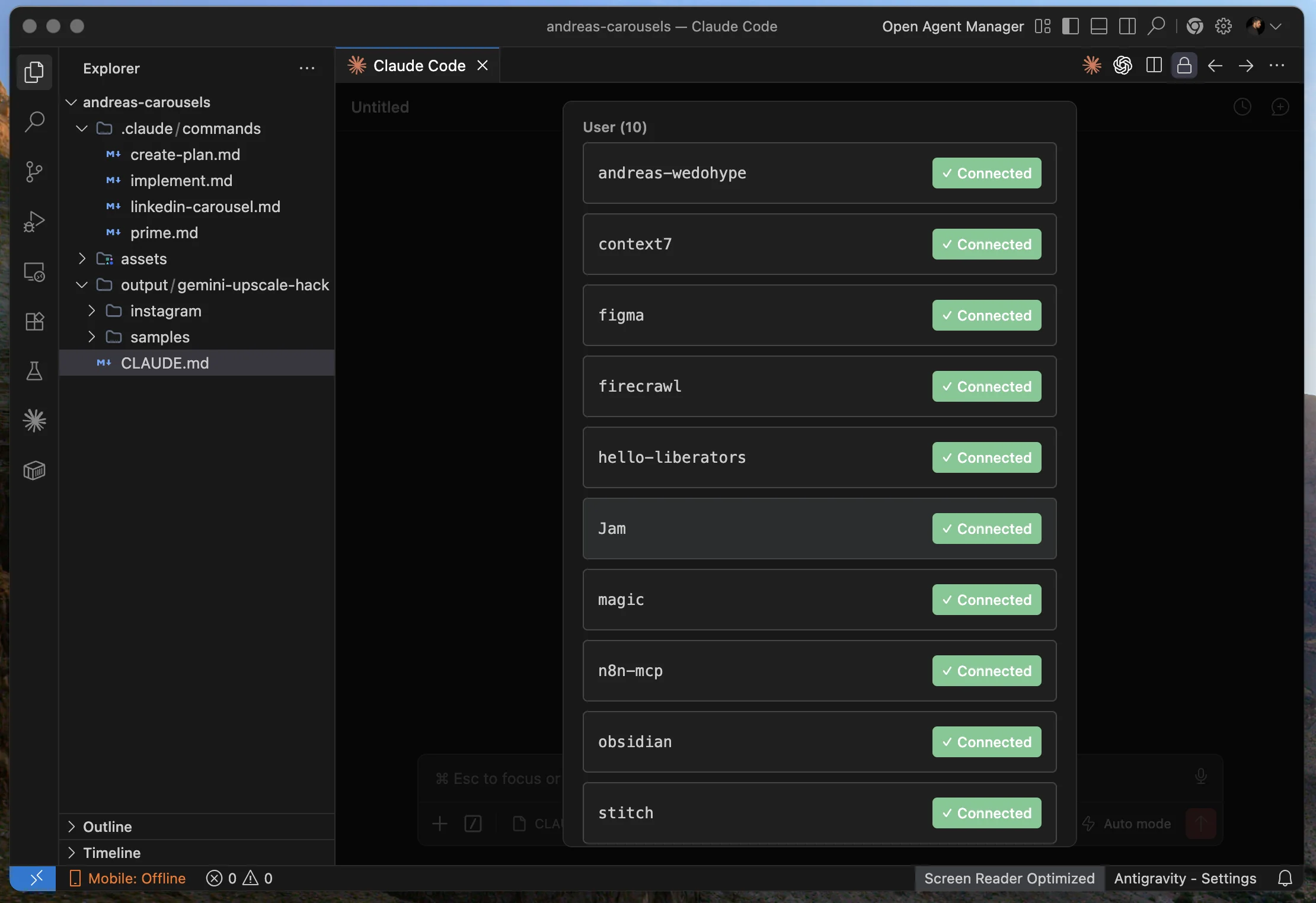
The active MCP servers in my daily setup: custom (andreas-wedohype, hello-liberators), official integrations (figma, obsidian, n8n-mcp), and utilities (context7, firecrawl).
What each one does in my day to day:
- andreas-wedohype: A custom MCP for Google Workspace (Gmail, Drive, Docs, Sheets, Calendar) and Notion. Claude has direct access to my emails, drafts proposals from data in Drive, reads meeting notes.
- hello-liberators: A custom MCP for the hello@liberators.ai inbox and utilities. Separate from the personal one so clients do not get mixed up.
- context7: Live library docs. It stops API hallucination.
- firecrawl: Web scraping for competitor research and content audits without opening a browser.
- figma: Design canvas integration. Sends designs to code, takes screenshots from Figma files.
- obsidian: Access to my vault (WEDOHYPE and Liberators structured knowledge).
- n8n-mcp: Reads and runs n8n workflows.
Bonus: I have built 2 custom MCPs for Liberators and 1 for WEDOHYPE in-house.
They give Claude direct access to CRM data, voice agent configs, and client deployment metadata. When I build a proposal for a WEDOHYPE prospect, Claude reads live from the CRM, not from static notes.
/prime: why I have a custom command in every project
Here we get into the real value-add. Claude Code lets you build your own slash commands inside .claude/commands/.
In every one of my active projects I have a /prime, and it is the first command I run every time I open a new session.
Why: CLAUDE.md loads automatically, but it gives static context. /prime gives dynamic context.
That is: what I have done recently in this project, what the current state is, which brand assets are available, what memory rules Claude has accumulated from previous sessions.
It shows Claude not just "what the project is" but also "where we are today".
In andreas-carousels, /prime does 3 things when it runs:
- Scan the workspace structure (which folders exist, which files)
- Scan output and assets (which carousels I have made, which brand files are available)
- Load memory rules (typography, IG sizes, copy rules, transformation carousel patterns)
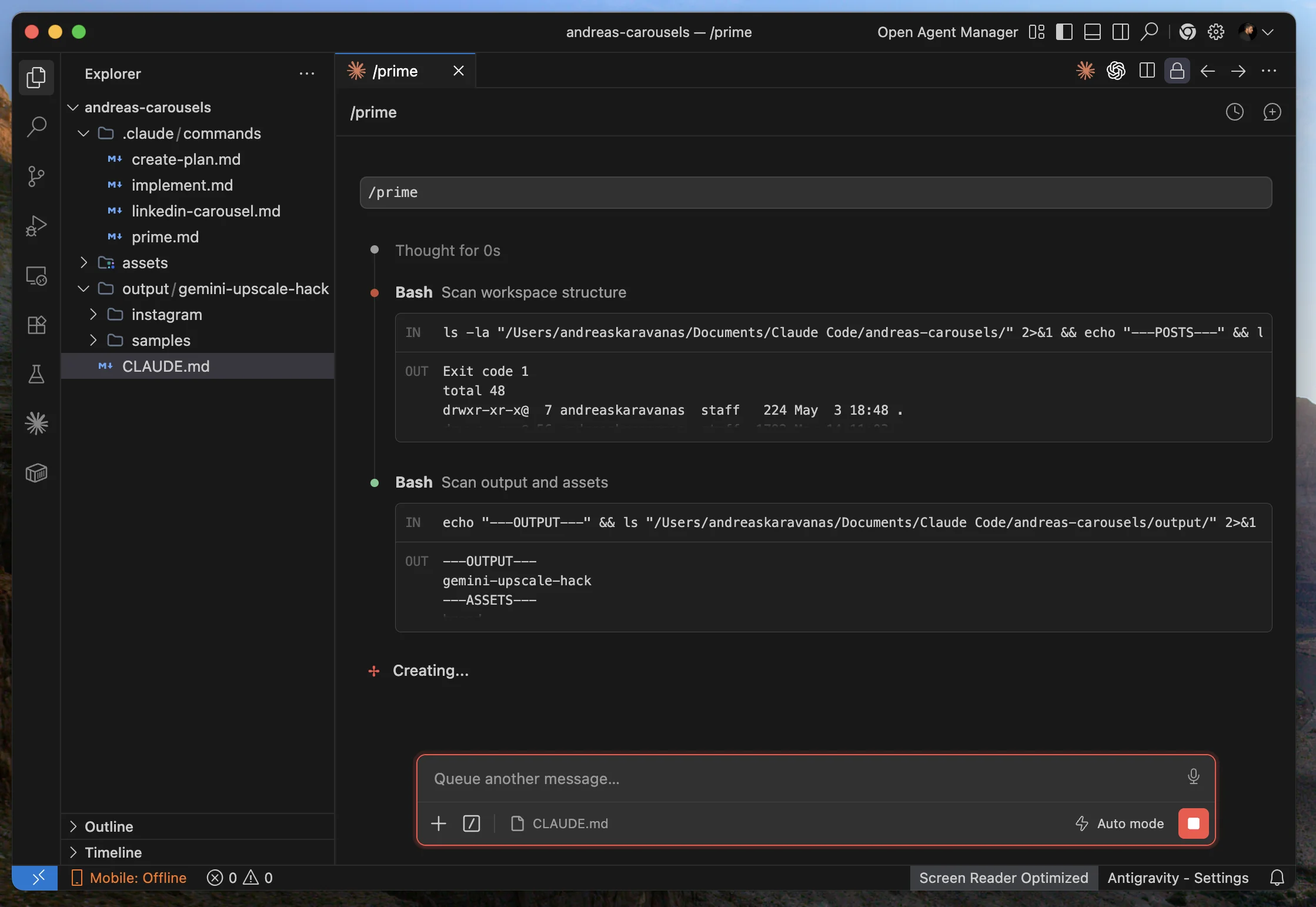
/prime in action. It runs 2 Bash commands (scan workspace structure + scan output and assets), then composes the picture. It takes about 5 seconds.
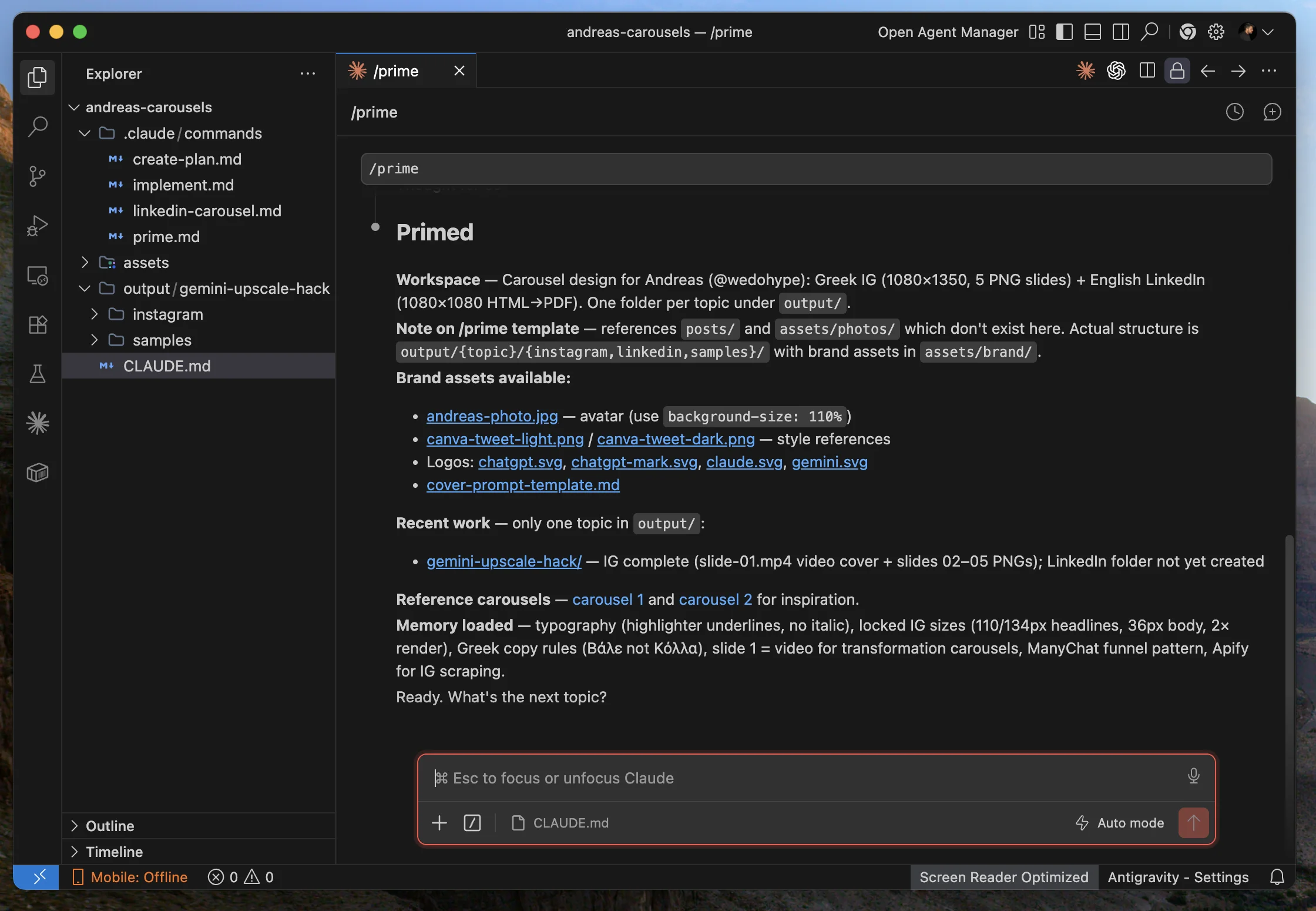
The result of /prime. It shows: the workspace description, available brand assets, recent work, reference carousels for inspiration, and memory loaded. It ends with "Ready. What's the next topic?".
Practical benefit: I do not lose 5 minutes each session explaining "remember that..." to Claude. Everything is already loaded.
When I say "let's do a new carousel", Claude immediately knows the font, the color, the slide structure, which assets are available, and which patterns we have already perfected.
/create-plan: why I plan before I execute
Here is the second custom command I use daily. /create-plan.
Why: When you ask Claude to do something complex without a planning step, you get output you then have to redo.
5 minutes of planning saves 30 minutes of rebuild. Also, the plan becomes an artifact I can come back to later, tweak, and see what I decided and why.
Here is a real example. I told Claude in the carousels project:
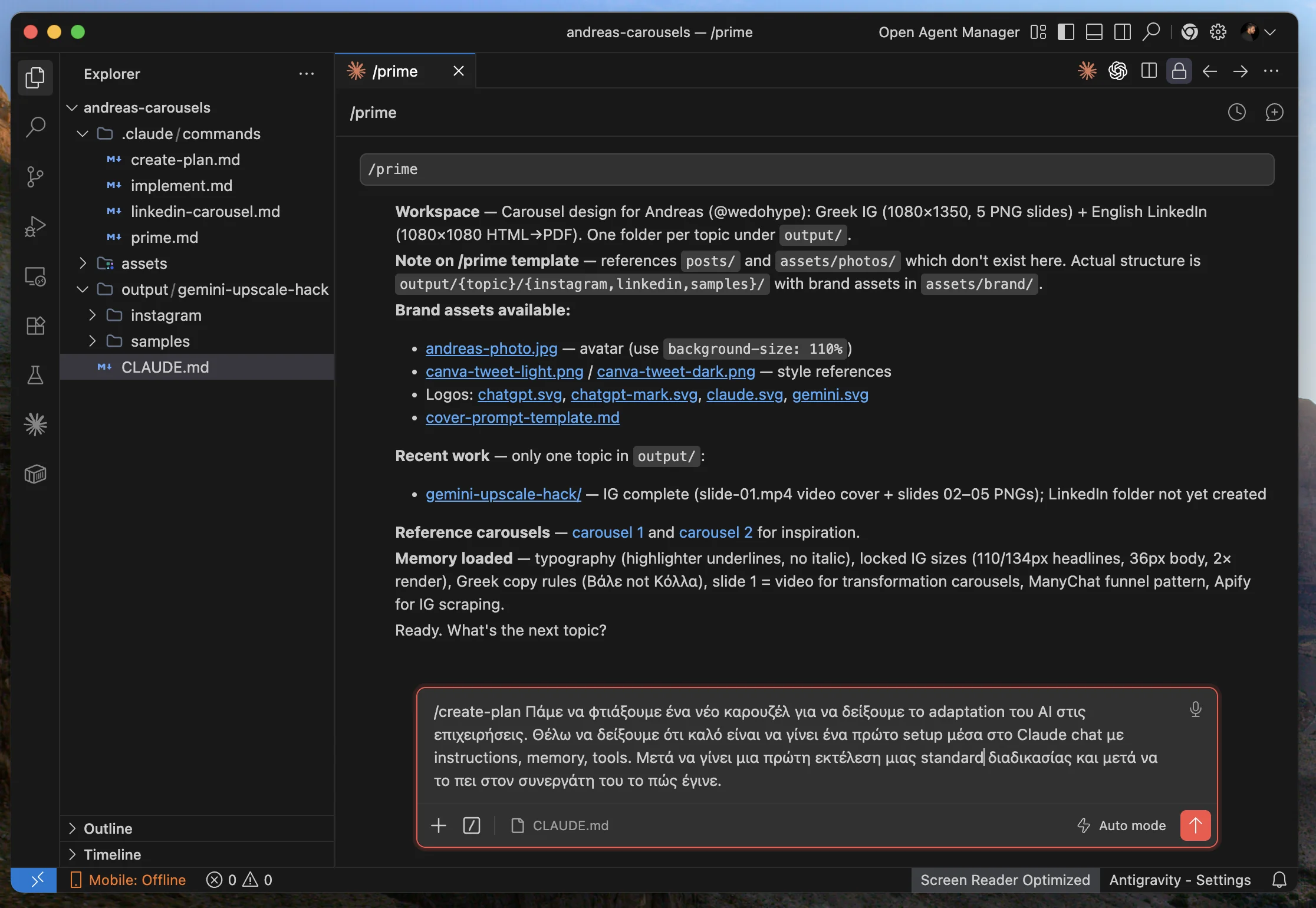
The real prompt I gave to /create-plan: I asked for a new carousel on AI adaptation for businesses, with a 3-step structure (Setup, Run, Teach).
I did not tell Claude "make the carousel". I said "make the plan".
What it returned was extremely useful: it did not proceed to production. First it composed a 3-step narrative arc (Setup, Run, Teach), chose a format (5 slides IG Greek + LinkedIn English), and asked me 6 critical questions before proceeding.
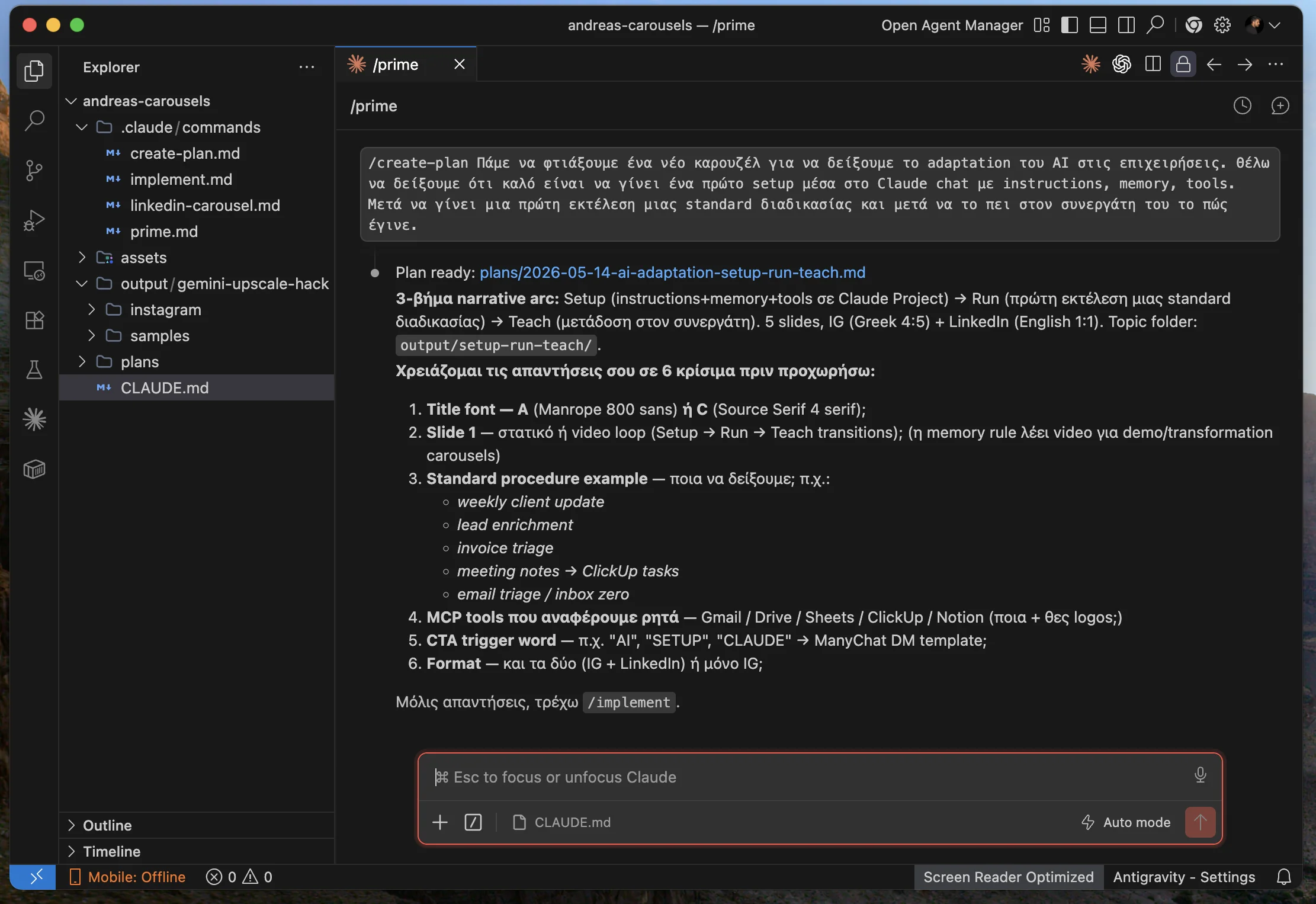
The plan is ready, but with 6 questions from Claude before /implement: which font, what style for slide 1, which procedure example, which MCP tools, what trigger word, and what format.
When I answered the 6 questions, Claude finalized the plan with a locked-in spec: Instagram only, 5 slides at 1080x1350 PNG, Greek, Manrope 800 sans bold, a standard cover.
A specific procedure (meeting, Fireflies, Claude, ClickUp tasks), 5 logos to download to the brand assets, a soft CTA. All in a single markdown file saved at plans/2026-05-14-ai-adaptation-setup-run-teach.md.
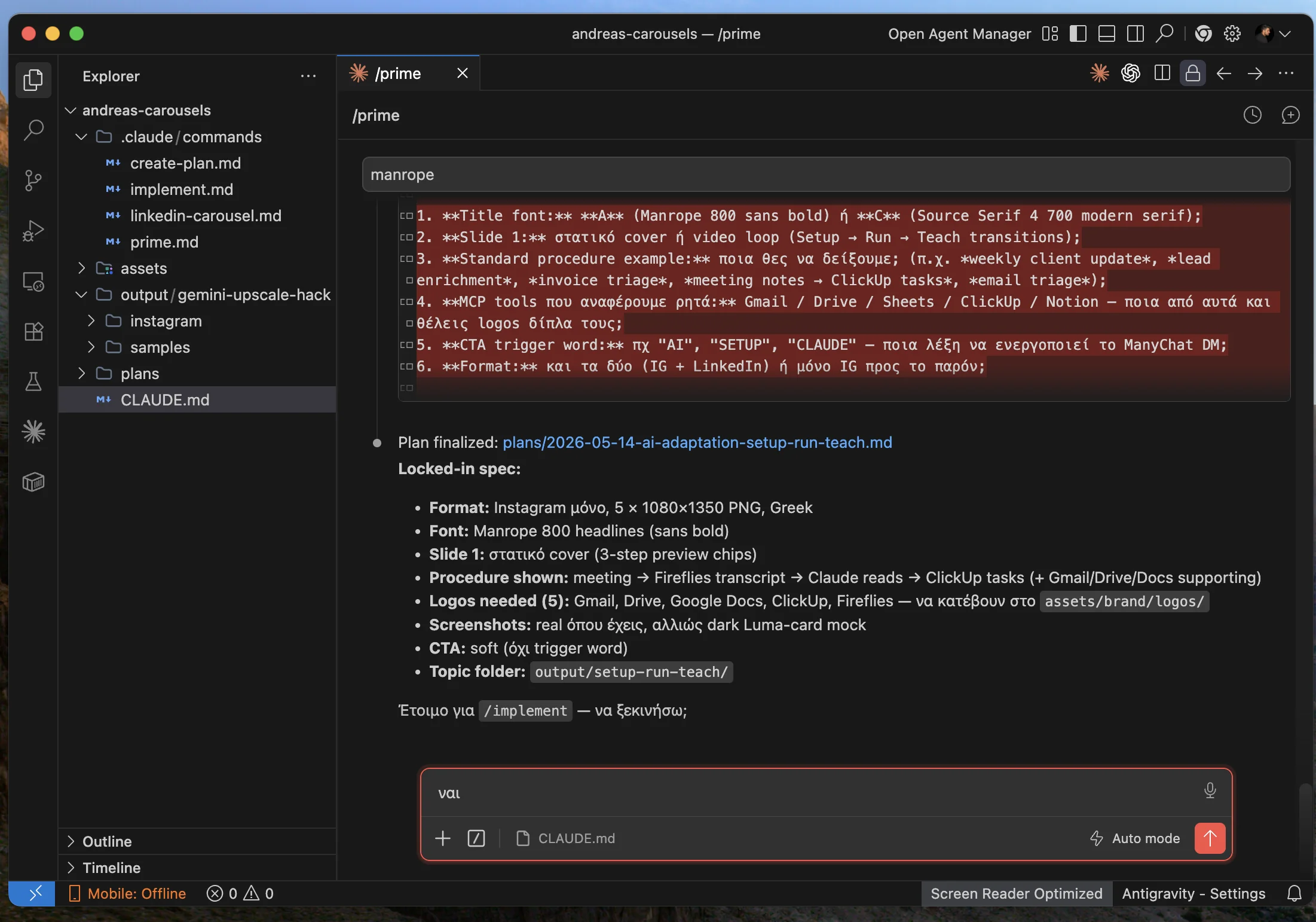
The plan is finalized after my answers. The locked-in spec is clear, with every design decision documented. The moment I say "yes", the /implement command runs and builds the whole plan.
Benefit: From "give me a carousel" to production assets in about 10 minutes total. Not 2 hours of manual work in Canva.
4 use cases I run every day
Enough theory.
Below I show you 4 real use cases I run every day, all built with Claude Code.
1. Carousels for Instagram and LinkedIn
I have built a complete mechanism for designing Instagram and LinkedIn carousels, which I post to my profiles without opening Canva.
From the idea of the carousel to 5 ready slides I can post takes about 30 minutes. The mechanical part (fonts, colors, layout, brand consistency) happens automatically. I only decide what each slide says and which image goes where.
The whole brand kit is centralized, so every new carousel comes out with the same aesthetic. So I never waste time on design decisions I have already made once.
An example carousel the system produced.
2. WEDOHYPE: agentic operations for the whole agency
At WEDOHYPE I did not automate one project. I built the entire operations layer as an agentic system. I am the orchestrator, and 6 specialized agents take on the repetitive part of each client engagement.
The system works across 3 critical use cases:
A new prospect. The discovery call is recorded automatically. From the transcript a draft welcome email is written, which I review before it goes out. In parallel, the collection of the information I need to know whether they are a fit begins.
A new client. When the client enters the pipeline, the system creates the onboarding doc, sends the brief form, organizes the assets I receive, and automatically sets up the client workspace so the whole team knows where we are.
A new proposal or a new website. From the brief, draft copy is written, followed by design direction, and then the build. At every stage the system knows what has been done and what remains.
Each agent's role is clear: one answers communications and keeps tabs on the client's tasks (account manager), one writes the copy, one composes the brief for the designer, one does the design, one builds the website, and one does quality control on whatever is produced before it goes out.
The result: the team can take on 2-3x more projects in the same time, and I am no longer the bottleneck on every email, draft and review. I wrote about a similar focus and system replication for agency operations in scaling with 1 service.
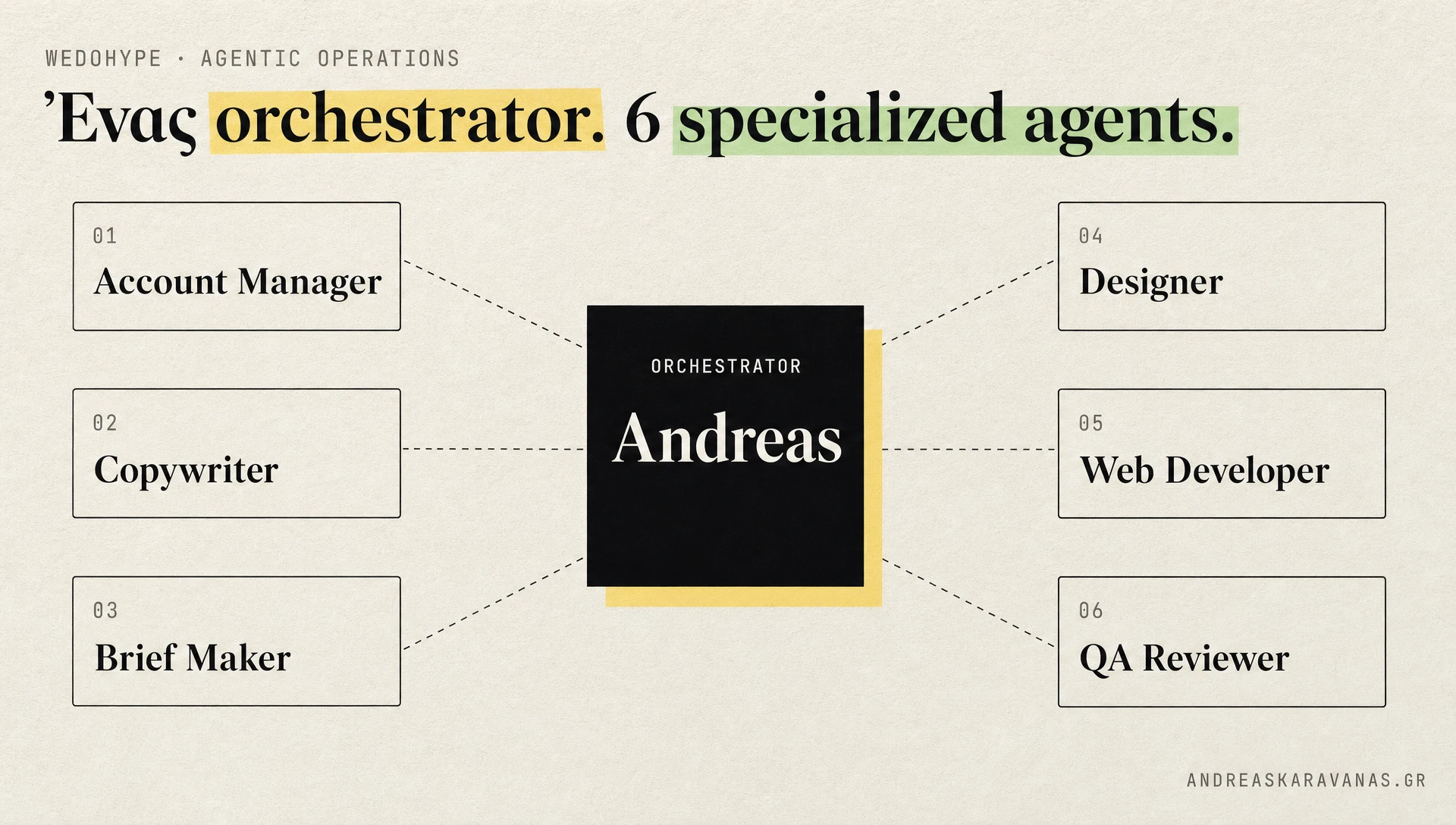
The WEDOHYPE system. In the middle, me as orchestrator. Around it, the 6 agents that take on communication, copy, briefing, design, build and QA.
3. Liberators: the OS for AI implementations
A similar pattern for Liberators AI, but a different purpose. Here we build the Liberators OS: an AI command center we provide to retainer clients.
The idea: each client has their own AI brain, that knows their business, talks to their tools (email, calendar, CRM, docs, voice), and runs repetitive processes without being asked each time. Like having an employee who works 24/7 and knows what happened yesterday, what is left today, and what is coming tomorrow.
The system works across 3 characteristic use cases:
Cold outbound. An internal sales assistant researches prospects, writes personalized email drafts, and sends them gradually based on the prospect's behavior.
AI opportunity reports. When a prospect enters the funnel, the system automatically analyzes their website, spots areas where AI could help, and produces a custom report that works as a conversation starter.
Client retainer operations. For each client that has Liberators OS installed, we set up custom integrations with their own tools, so the AI has real access to their data and runs the workflows they need.
The result for the client: fewer hours of manual work, faster decisions because the data is always in one place, and a clear picture of what their business is doing. For us: recurring revenue and deep relationships, because the client becomes tied to the system.
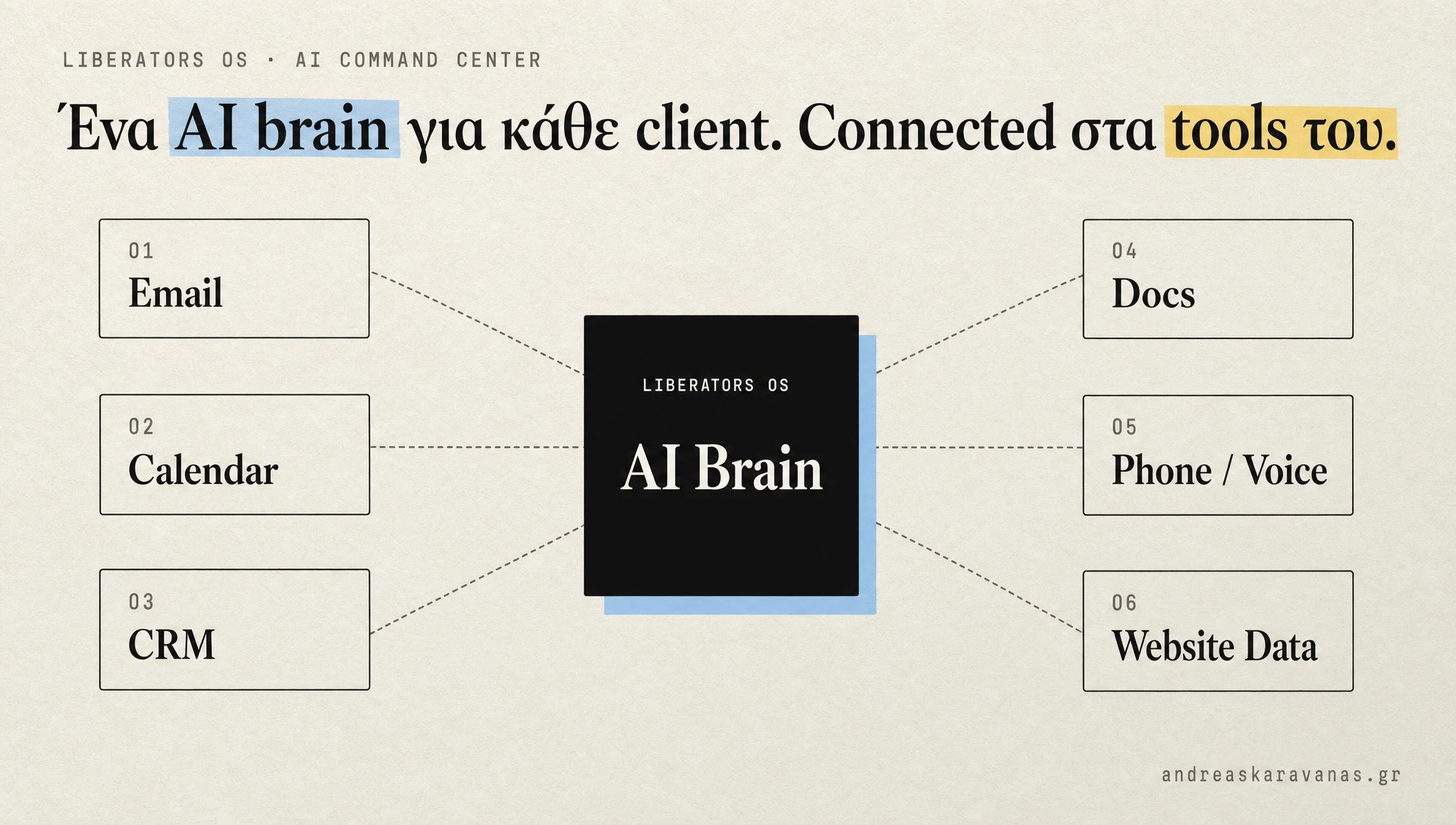
The Liberators OS from above. One AI brain that knows the client's business and talks to all of their tools: email, calendar, CRM, docs, voice, website data.
4. LUXMII: an e-commerce brand with Claude Code as the backbone
LUXMII is my e-commerce brand. Australian linen fashion that sells worldwide.
The entire marketing and operations layer runs through Claude Code. I do not need to open 5 different dashboards and copy-paste between them. I give a command, and the system pulls data from wherever it is needed and drops output where it belongs.
Three main use cases:
Newsletter campaigns. I give a concept for the next emails (usually a word or a product name per campaign). The system creates the animated GIFs from the product photos, writes the copy in our brand voice (effortless, timeless), sets up the templates, creates the campaigns in the email platform, and notifies the team. From ideas to the whole month's ready-to-send campaigns in about 15 minutes.
Analytics sync. Every week I automatically pull the numbers from the campaigns I have sent (open rates, clicks, orders, revenue) and update my Email Marketing Calendar. No need to log into the dashboard and type numbers into a spreadsheet by hand.
On-the-go decisions. I have access to the system from my phone via a custom bot on Telegram. I send a voice message or a photo, and the AI handles it. If I need to draft an email or check whether a product is in stock from a cafe, I do it without opening a laptop.
From brand strategy to a live email campaign in a few hours, without opening the email dashboard even once. We saw similar operational speed in the omnichannel ecom case: when the infrastructure is right, decisions land in days instead of weeks.
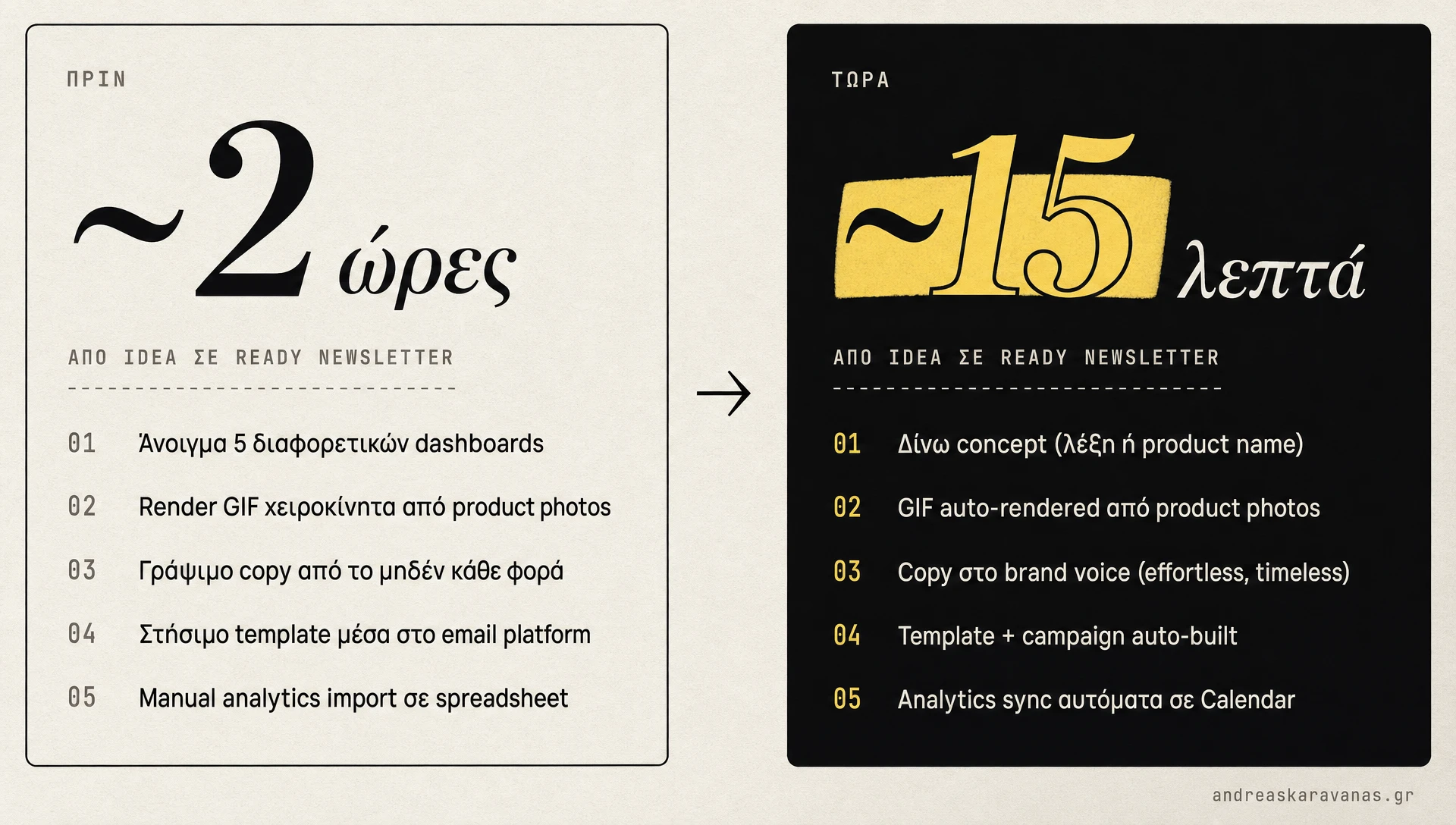
The same work before and after Claude Code. From about 2 hours to about 15 minutes to get all of the month's newsletter campaigns ready, without opening Klaviyo.
Practices I learned the hard way
Six months in, here are the most important ones:
- A good CLAUDE.md beats the tokens you spend on explanations. Invest time there. It pays off every session.
- Build a /prime for every serious project. Dynamic context is 10x more useful than static. In
.claude/commands/prime.mdyou write which scans you want to run and which memory to load. - /create-plan before any complex work. Always. The 5-minute plan saves the 30-minute rebuild.
- /compact more often than you think. Context fills fast in complex sessions. Clearing it proactively keeps quality up.
- MCPs first, custom skills later. There is probably already an MCP for what you want. Check the ecosystem before you build your own.
- The custom MCPs were worth it. 2 for Liberators and 1 for WEDOHYPE in-house. They took about 2 days to build, but they save many hours a week.
- Bypass Permissions is a power tool. Incredibly fast, but there is a risk it writes something you do not want. Use it in non-critical folders. Not on production database scripts or sensitive data.
- Update CLAUDE.md when Claude repeats the same mistake. Every time you stop to fix something, ask: "why did it not know this? should I write it in CLAUDE.md?"
How I got started
If you want to see how a similar workflow feels in your own work, these are the first 4 things I did. See whether they fit your schedule.
- I installed it from claude.com/docs. It worked in 5 minutes. I chose Antigravity for the IDE because I liked the tabbed interface.
- I picked a small repeatable task to start. Not "write me a landing page". Something small that I already did by hand 2-3 times a week. For me it was drafts of proposal copy.
- I wrote a ~100-line CLAUDE.md for that project. What I do, for whom, in what tone, what not to do. I saw the difference in the output immediately.
- I built a
/primecommand for the same project. A markdown file at.claude/commands/prime.mdthat scans the workspace and loads context dynamically.
From then on, every new session starts in a mature state.
Within 6 months I have built 5 production systems without writing almost any code from scratch. I am not saying it is all perfect. I am saying the benefit to my business was drastic.
If on your next project something feels "too technical", give it a try.
Conclusion
Claude Code is evolving fast and it changes quite a lot about how a founder or marketer who is not a developer works. It does not replace judgment. It replaces the 8 hours of repetitive work that keep you a bottleneck.
Working this way over the last 6 months, I personally managed to:
- Set up automated operations across 3 brands in parallel without writing almost any code from scratch
- Bring the production of a carousel down from 2 hours to about 30 minutes
- Take on 2-3x more client engagements without growing the team
- Stop opening 5 dashboards for every decision
Sources
- Charlie Hills: Claude Code (Beginner to Advanced). I first saw the "beginner to advanced" structural framework well articulated there. The examples above are from my own projects.
- Anthropic: Claude Code official docs
- MCP: Model Context Protocol spec
- Antigravity: AI-first IDE from Google
I would love to hear about your own experience.