If you have heard of it but have not seriously touched it, you are not behind.
You are like most people.
Most business owners opened it once, typed "hi", got an answer, and closed it thinking "nice, and now what?".
You are here probably because:
- You tried it a little, but did not understand what to do with it.
- You hear "AI" everywhere and feel like you are falling behind.
- You do not want theory. You want to see what it does in practice for your business.
I run two companies, WEDOHYPE and Liberators AI, almost entirely with agents built on Claude.
Every morning, before I even open my email, an AI has already told me which clients are waiting and what has slipped.
By noon, a proposal that would have eaten an hour is out in minutes.
This is the guide I wish I had read at the start.
I will explain it to you like a friend, without jargon: what Claude is, what it actually does, and where to start. It is the first article in a series. Save it and give it an hour this week.
What is Claude?
Claude is an AI you talk to and it answers.
So far, ChatGPT, which you may have tried, does the same.
The difference, and the reason it interests me for a business, is that it does not just answer. It does the work.
It reads your files, writes text, builds proposals, updates your CRM, connects to the tools you already pay for, and completes whole tasks.
How it works, in 30 seconds
Think of the difference between a consultant and an employee.
- The consultant tells you what to do.
- The employee sits down and does it.
Most AI is a consultant. Claude, set up right, works like an employee.
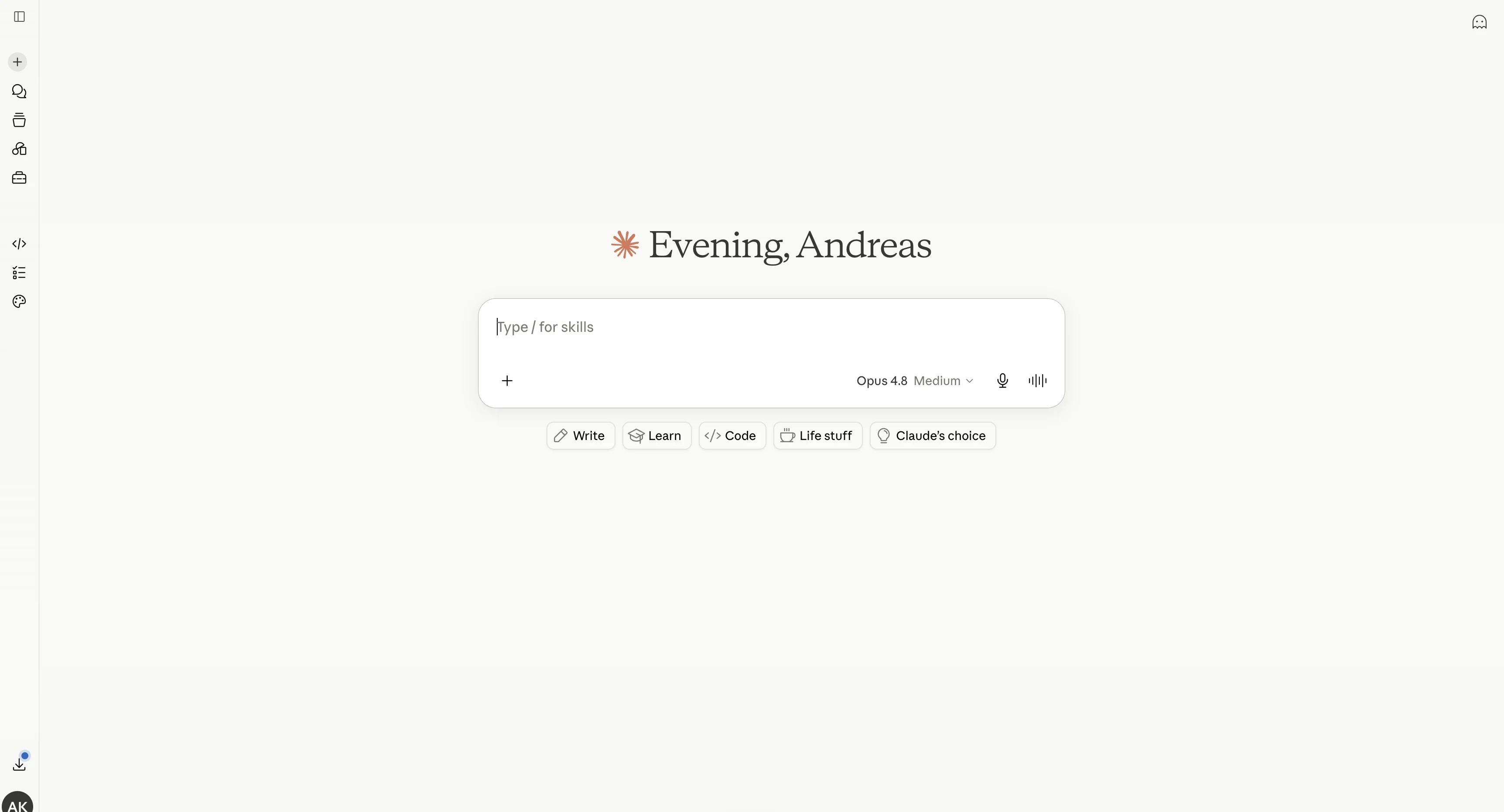
This is what it looks like. You talk to it like a person, in Greek or in English. No "trick".
★ Remember: ChatGPT tells you. Claude, set up right, does it for you.
Claude or ChatGPT?
Everyone knows ChatGPT, so let's take it as a reference point.
They are from the same family. Each is just better at different things.
Where Claude wins:
- It works on your own files.
- It remembers how your company operates.
- It completes serious tasks all the way to the end, without you holding its hand.
Where ChatGPT still wins:
- Quick searches on the internet.
- Image generation.
- Everyone already knows it.
✓ Tip: you do not have to pick one. I keep ChatGPT for quick things, and I build my serious systems on Claude. It is not about fandom, it is about what gets the work done.
How much does it cost, and how do you get it?
You go to claude.ai, create an account, done. You can already try it for free.
There are 3 tiers:
- Free: to get a taste.
- Pro (around 20 a month): this is where the value starts to show, because it unlocks the serious stuff.
- Max: for anyone who works it all day, like me.
My rule: start free for a day, and the moment you see it does real work for you, go straight to Pro.
Do not stay on free trying to decide. You will reach the wrong conclusion, because free limits you.
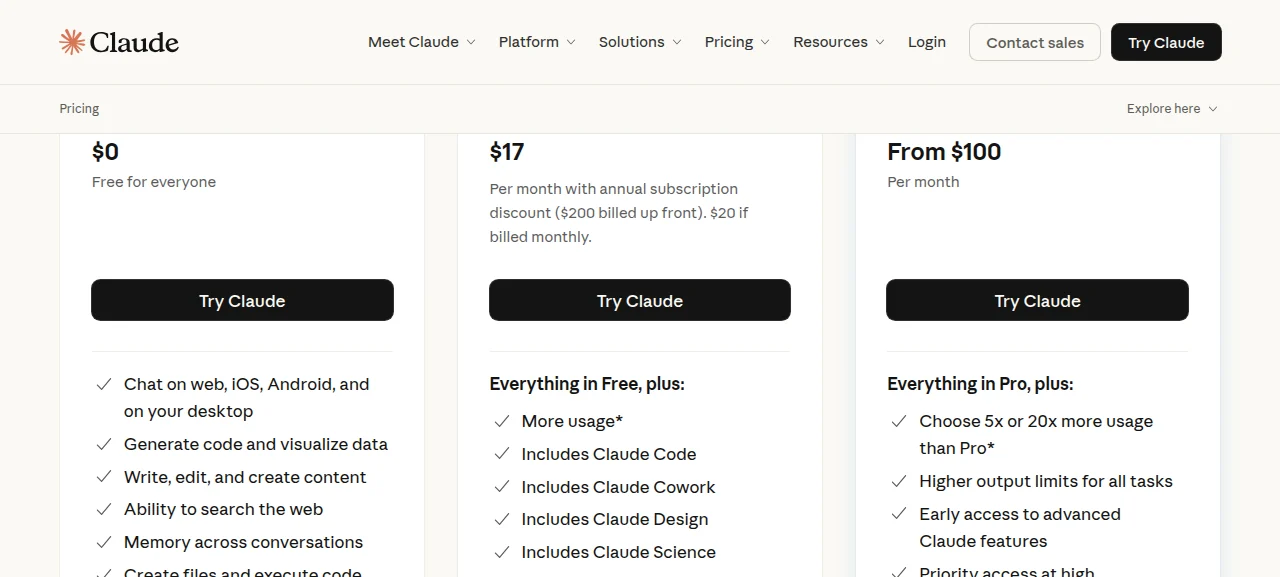
The three plans. For a business, Pro is the minimum to work seriously.
✓ Tip: pay monthly at first, not yearly. You will know in 2 weeks whether it is worth it to you.
The 3 "Claudes" (this is where everyone gets confused)
The biggest confusion for a beginner is that the word "Claude" shows up in many places.
Let's untangle it. There are 3 ways to use it:
- In the browser (claude.ai): you talk to it and it answers. Good for writing, questions, ideas.
- In the app on your computer: the same, but now it sees and works with your files.
- In Cowork: here it becomes the employee. You show it a folder, you give it a task, and it does it on its own while you drink your coffee.
★ Remember: Browser = you ask. App = you ask + it sees your files. Cowork = you ask + it sees + it does the work while you are away.
How do you talk to it correctly?
What a "prompt" is: it is simply what you write to the AI. Your instruction. Nothing more complicated.
Most people think the trick is to find the magic phrase.
That is not where it is. The key is how much you explain to it. 2 simple rules take you a long way.
Rule 1: tell it specifically what you want.
- Bad: "write me an email to a client".
- Good: "write a short, polite email to client X who is waiting for the proposal, tell them I am sending it tomorrow, in the tone I would use".
Rule 2: give it context.
The more it knows about your company, how you speak and what you consider a good result, the closer to your own standard it works. Same tool, a completely different result.
Here it is in practice. I ask it for an email, and instead of throwing out something generic, it first asks me what it needs:
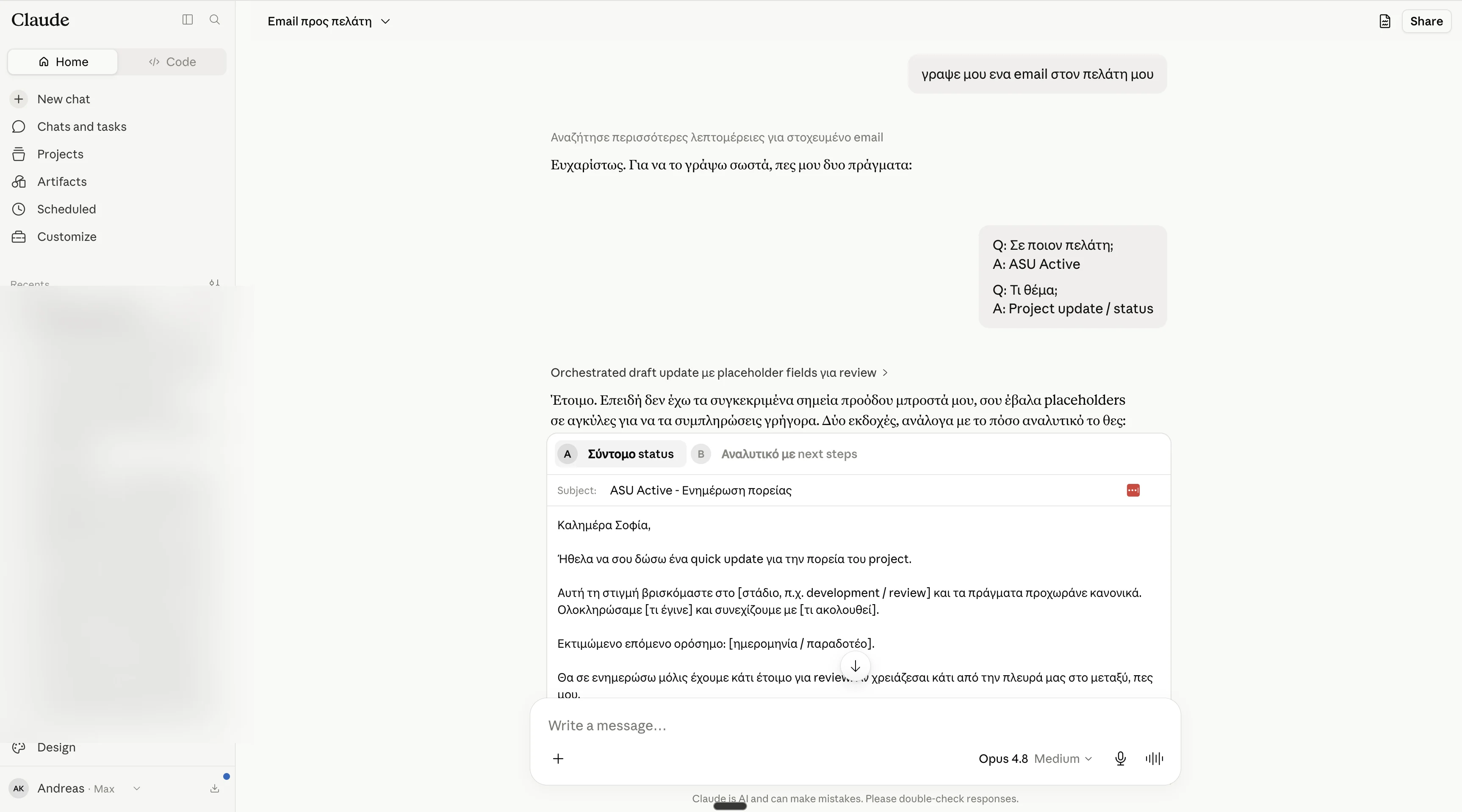
I write a simple request. Instead of guessing, it asks me "which client, what subject?".
Then it gathers the context on its own, from my own files and messages:
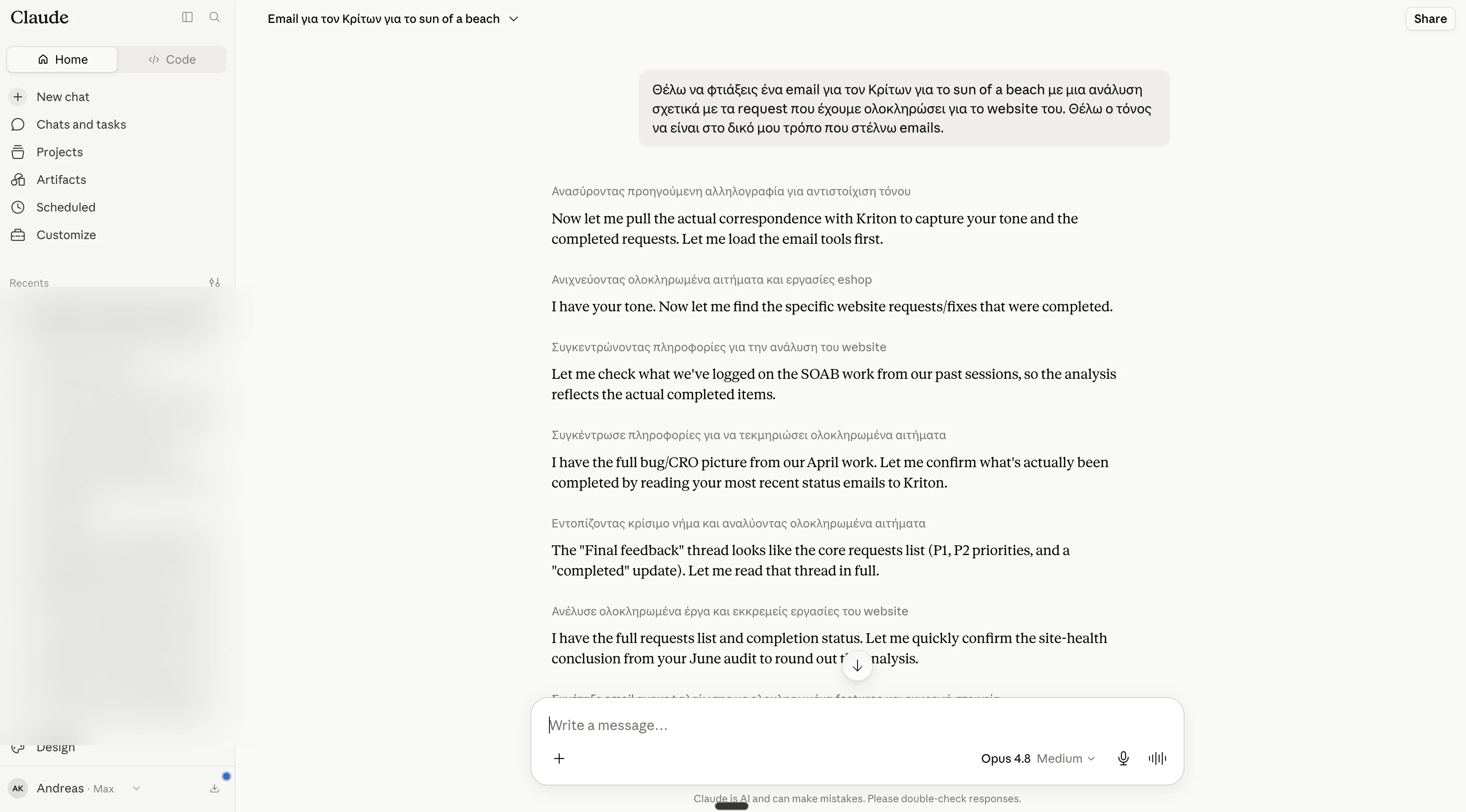
It searches previous correspondence and completed work, to catch my tone and the right details.
And it gives me the email ready, in my own tone:
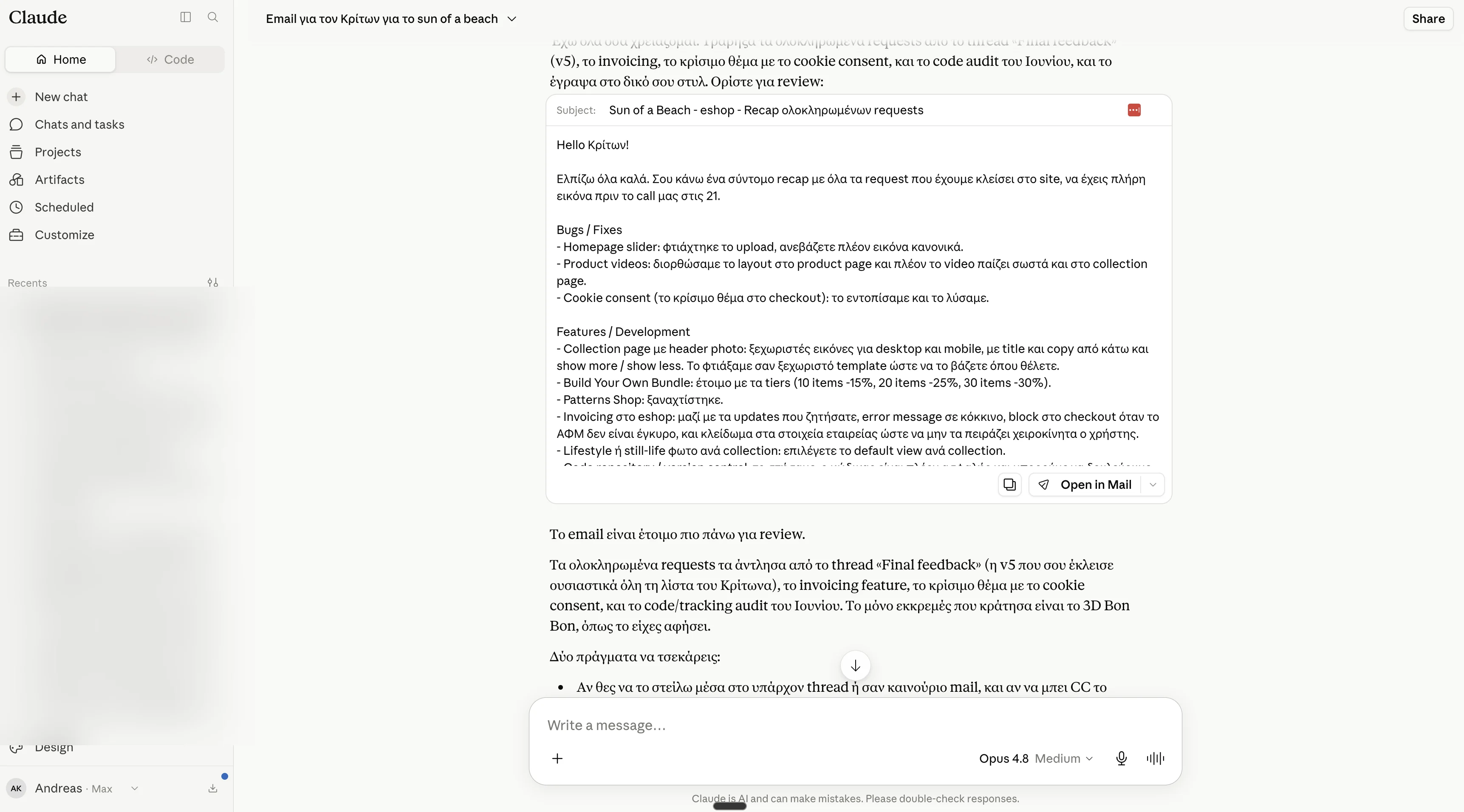
A ready email, without me writing a thing.
⚠ Caution: Claude will always give you an answer. That does not mean it is always right. Check the numbers and the facts, the way you would check a new employee.
What is it really good at?
Let's leave theory behind.
Here is what it can do, with a real example from my work: building a whole website for a client.
I give one command to the developer agent to start:
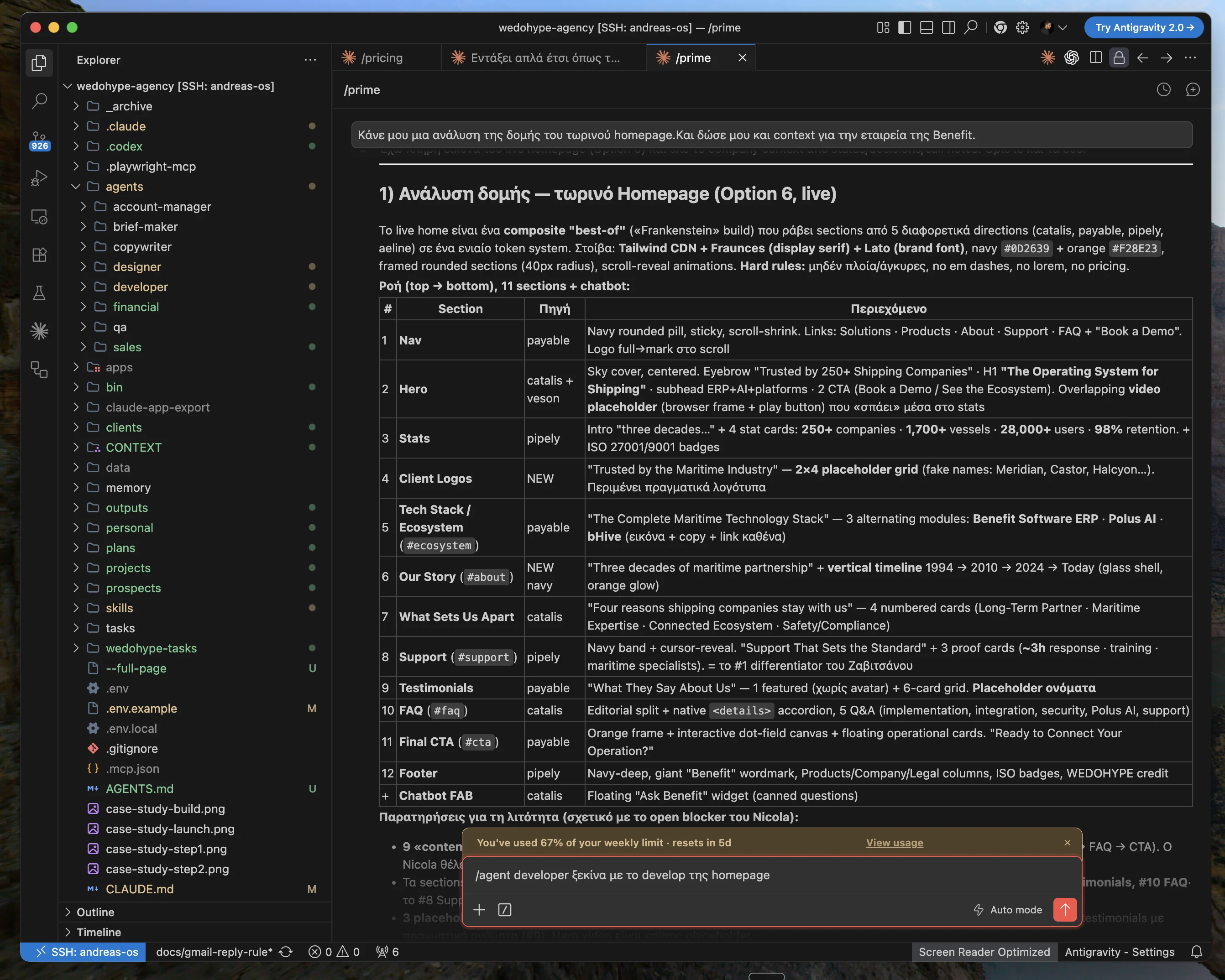
One line: "start with developing the homepage". It does the rest on its own.
Before we settled, the AI produced 6 different designs for the client to choose from:

6 complete homepage proposals, same content, different direction. The client chooses, we move forward.
And the final, live website:

The final result. From one command, to a complete site.
Beyond that, Claude is very good at:
- Writing text in your tone.
- Summarizing long documents.
- Reading PDFs and answering questions on them.
- Thinking through a problem with you.
What is it bad at? (so you are not disappointed)
To be fair, it is not the answer to everything.
- It is not consistently good at very precise math.
- It is not a source of truth for facts. It needs checking.
- If you give it a vague instruction, it will give you a vague result.
The rule I keep for a business: if something does not make your customer's experience better or does not save you real time and money, there is no point putting it in. Do not add AI just to say you have AI.
⚠ Caution: when the result comes out badly, most of the time it is not the tool's fault. It is like a very good employee who needs their manager, you, to tell them clearly what you want.
The 3 words that really matter
If you keep 3 words from all of this, keep these:
- Context. Everything the AI knows about you and your company. The one word that separates mediocre results from excellent ones.
- Agent. An AI set up to do a specific job on its own, from start to finish. My companies run on these.
- Cowork. The place where you hand it a folder with your work and let it work.
Put them together and you see why AI is not the cherry on top.
It is a whole layer around how the company operates: it touches the site, the proposals, client onboarding, the CRM, the accounting. Take it out and the company works noticeably slower and more expensively.
The words you can ignore (for now)
You will hear many terms that sound scary: MCP, connectors, skills, artifacts.
For now, forget them.
They are the technical pieces that make the connection with your tools, and we will look at them when needed, in later articles. No business owner needs to know how the engine works to drive the car.
✓ Tip: if that paragraph stressed you out, you skipped past it correctly. That is exactly what I wanted.
10 things to try in your first week
Pick 3 of these and do them this week:
- Give it a large PDF (a contract, a report) and ask for a half-page summary.
- Write a difficult email to a client together with it.
- Ask it to prepare the agenda for a meeting.
- Give it today's numbers and ask what it sees.
- Have it write three versions of a piece of copy for your site.
- Ask it to explain a term you do not understand, as if you were 10 years old.
- Give it a task list and ask it to put it in priority order.
- Ask it to prepare a reply to a customer complaint.
- Have it check a piece of your writing for errors and unclear parts.
- Ask it to make you a simple plan for something you keep putting off.
✓ Tip: keep a file with the prompts that worked for you. It is the start of your own system.
Take your first test drive today
Do not just read this article and feel smarter for 20 minutes.
Pick one of the two and do it today.
The free route: go to claude.ai, create an account, and give it this:
"I will explain a job I do every week that tires me out. Ask me anything you need to understand it fully, and then do it for me."
The Cowork route (Pro): take it in the morning. Buy Pro, open Cowork, show it a folder with your work, and ask it to take on a real task. If you do not like it, cancel your subscription.
How I actually run it
If you made it this far, here is the real thing. It is not theory, it is my daily routine.
At WEDOHYPE, a system of agents runs almost the whole operation:
- One writes the copy for the sites.
- One prepares the briefs.
- One turns proposals into a finished PDF.
- One keeps the accounting and reminds me about payments, without sending anything on its own without my approval.
- And one, the first thing I open every morning, scans everything and tells me who is waiting and what is running late.
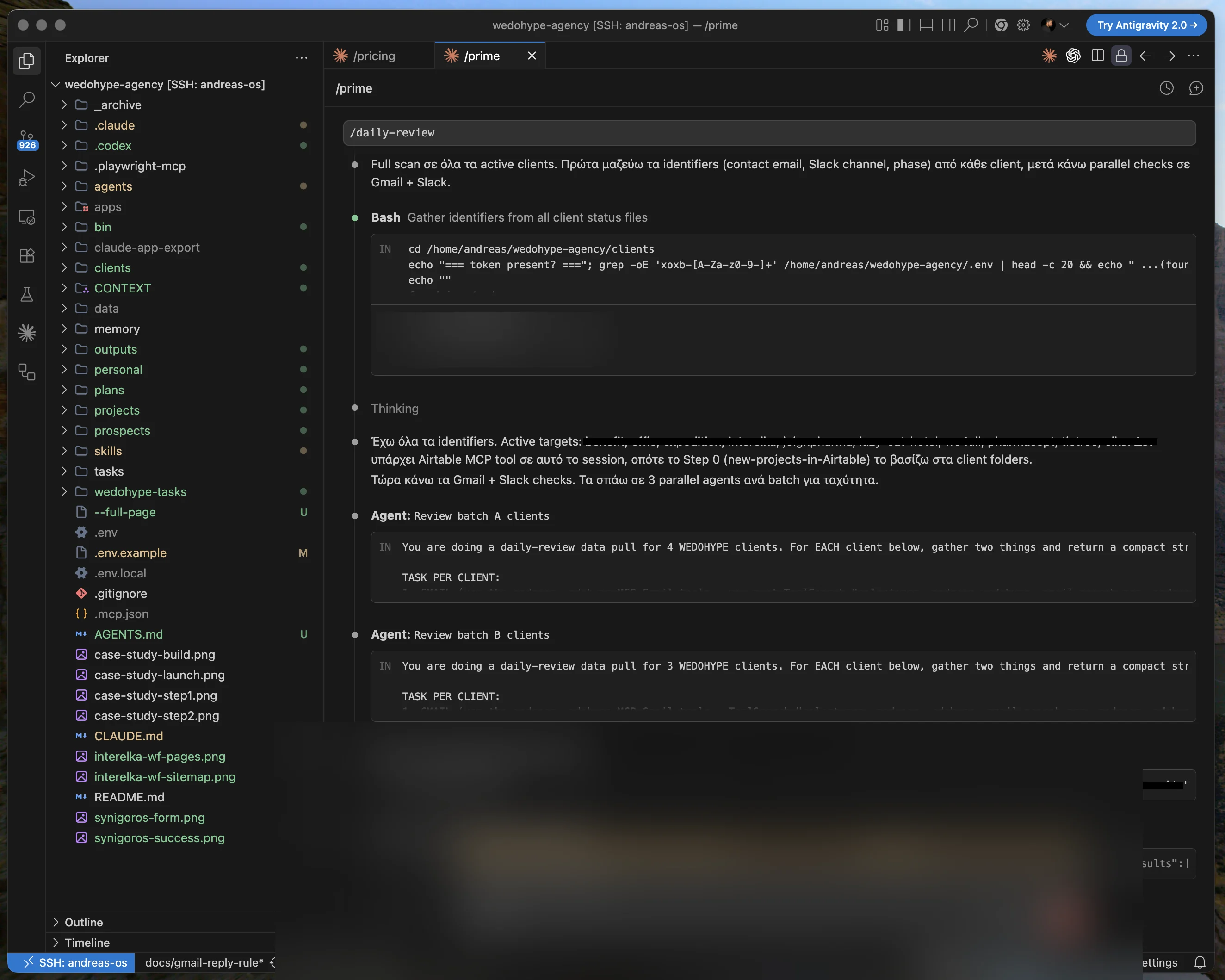
My morning report. I start the day knowing exactly where to look, instead of staring at the inbox.
At Liberators AI, we take it a step further, inside our clients' businesses.
My favorite example: a wholesale company with salespeople who are out in the field and never find the time to record what happened.
Now the salesperson just talks, in Greek: "I went to Nikos, he ordered 10 pieces, he owes 800 euros, he wants a price by Thursday". And the AI writes a clean note on the card, creates only the real to-dos, and every morning gives the owner a summary.
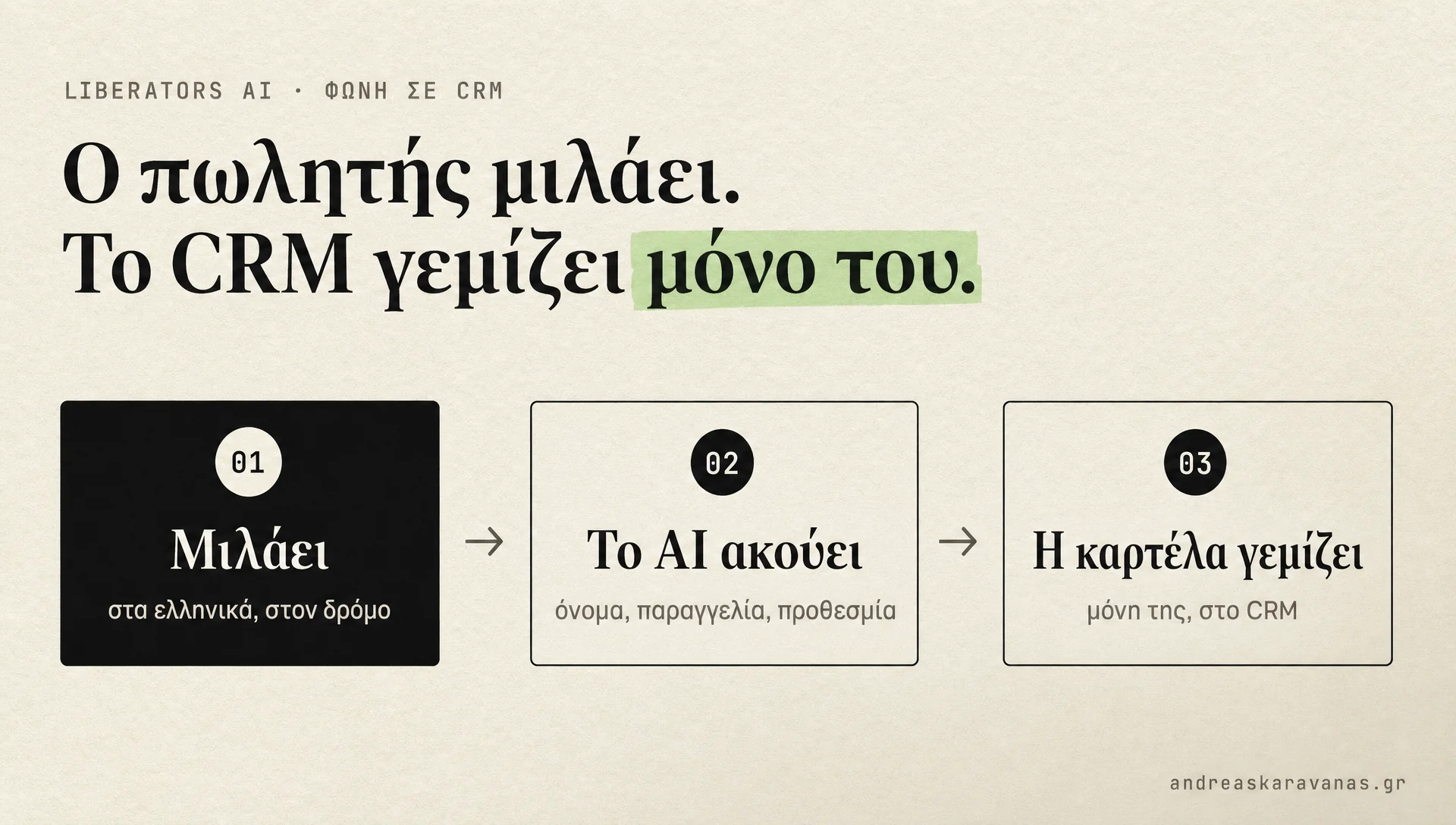
The salesperson talks, the CRM fills itself in. No typing, no lost information.
I am not saying this to impress.
I am saying it so you see that what you just learned, from "what Claude is" to "give it context", is exactly the same foundation these systems are built on. Just one step at a time.
Where to start?
Do not try to automate your whole company on the first day. Do these 5, in order:
- Go to claude.ai and play for free for 10 minutes.
- Pick one job you do every week that tires you out.
- Get Pro and open Cowork.
- Explain that one job to it, as if you were training a new employee, and let it do it.
- Correct it once or twice until it comes out to your standard.
Once one job works, you will see the next one yourself. That is how I started too.
In the next articles of the series we will look at how to talk to it well in depth, how to set it up to know your company like an employee, and how you build your own systems step by step.
If you want to go further, I have shown it in the Claude Code guide too.
If you want to see how all of this fits into your own business, send me a message and we can talk about it.