AI for small business pays off 1 task at a time: pick the right one, count its hours, hand it off. For most small businesses the first payoff comes from customer support or sales paperwork (quotes and proposals). This guide is for owners of companies with 20 to 60 people who want to know where to start, without a 6-month project.
You've probably already tried something. Someone on the team uses ChatGPT to draft emails. Maybe you tested a tool for a week and quietly stopped. That's the normal starting point. The first question to ask from there is "where is my company losing the most hours, and can software take that on?"
What "AI for small business" means in practice
AI for small business is simple: artificial intelligence here means software that reads, writes, and decides within limits you set, pointed at the repetitive tasks your team already does by hand.
In practice it's a capable assistant that reads a rambling customer email and pulls out the order number, drafts the quote in your company's format, or answers the same 8 questions your inbox gets 40 times a day. Your team still does the work. Software takes the repetitive first pass.
This stopped being a fringe experiment a while ago. According to the Stanford HAI AI Index 2026 report, 88% of surveyed organizations reported using AI in 2025. Small businesses are moving too: the U.S. Chamber of Commerce's 2026 Empowering Small Business report found that 66% of U.S. small businesses now use AI, up from 58% in 2025 and nearly 3 times the 23% of 2023.
In many companies, that adoption is 1 person using ChatGPT for the occasional email. The gap between "we use AI" and "AI gave us back 30 hours a month" is the subject of this article.
★ Remember: the goal is to hand 1 repetitive task to software, prove it works, then do the next one.
Choosing AI tools for small business
Search "ai tools for small business" and you'll get pages of top-10 lists. The tools change every month, so those lists date fast.
2 small businesses can buy the identical software and get opposite results. The first points it at a high-volume repetitive task and measures the hours. The second points it vaguely at "innovation" and cancels the subscription in month 3.
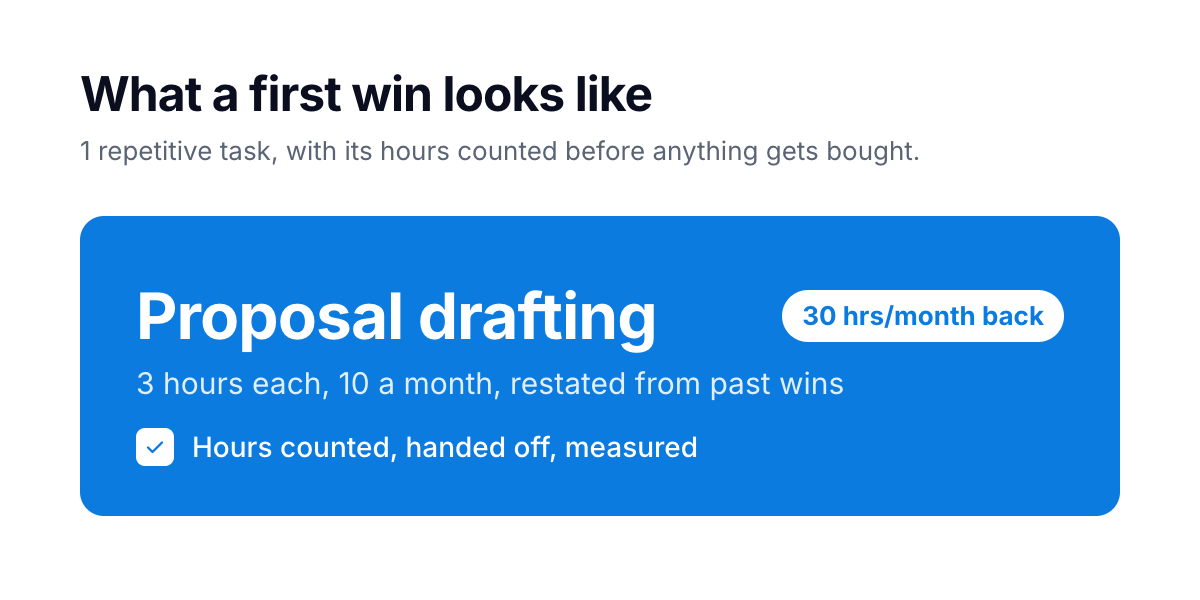 The first win is small and dull: 1 repetitive task, hours counted, handed off.
In our own work we start by asking which task takes the most hours each week, and we point software at that task first. What you're paying for is the hours: 30 a month back on proposal drafting, or routine customer questions answered overnight.
✓ Tip: a good first question from any vendor or consultant is "which task of yours is this taking over, and how will we check it worked?" If they open with their product, ask it yourself.
The 4 areas where AI pays off first
Most first wins for small businesses land in 1 of 4 areas. They are the parts of a company with the most repetitive reading, writing and data entry: sales, marketing, customer support, and operations.
| Area | The manual version | The first win AI takes over |
|---|---|---|
| Sales | Writing each proposal from scratch, updating the pipeline by hand, forgetting the follow-up | Drafts quotes and proposals from your past wins, keeps the pipeline current, queues the follow-up |
| Marketing | Content in bursts when someone finds time, then silence for a month | Steady first drafts in your voice, adapted per channel, ready for a human to approve |
| Customer support | The same questions answered by hand, again and again, during office hours only | Instant answers from your own documentation, at 2 a.m. too, and inquiries passed to your team with the details filled in |
| Operations | Data retyped from email into the system, then into the courier portal, then a spreadsheet | Information passed between systems automatically, with nobody retyping it |
Each of them is work your team already does, in hours you already pay for. You're taking a boring, repeated chore off a person who has better things to do.
Take a resort's booking assistant we built. It answers routine guest questions from the client's own documentation. Booking requests reach the reservations team with the dates, room type and guests already on them.
How to pick your first win
Here's the method, drawn from the projects that stick and the ones that flop. It has 4 steps, and the tool comes after all of them.
1. Pick 1 task. The projects that work start with a sentence like "quotes take 3 hours each and they shouldn't." High volume, low judgment, repetitive to the point of boredom.
2. Count its real hours. Ask the person who does the work. Multiply hours per instance by instances per month. If a proposal takes 3 hours and you send 10 a month, that's 30 hours, most of a working week, spent restating things your company has written many times before. If the total doesn't make you wince, pick a different task.
3. Pilot in weeks. A first working setup should be live within a few weeks. That's how we plan our own builds, and it's a fair benchmark for anyone you talk to. Anything that needs 6 months before it shows value is a process-redesign project. Start narrow.
4. Measure the hours you get back. Check once the pilot has run for 2 weeks. Does a quote now take 20 minutes, down from 3 hours? Does it go out without anyone fixing it? If both answers are yes, expand. Otherwise stop: you've spent a few weeks.
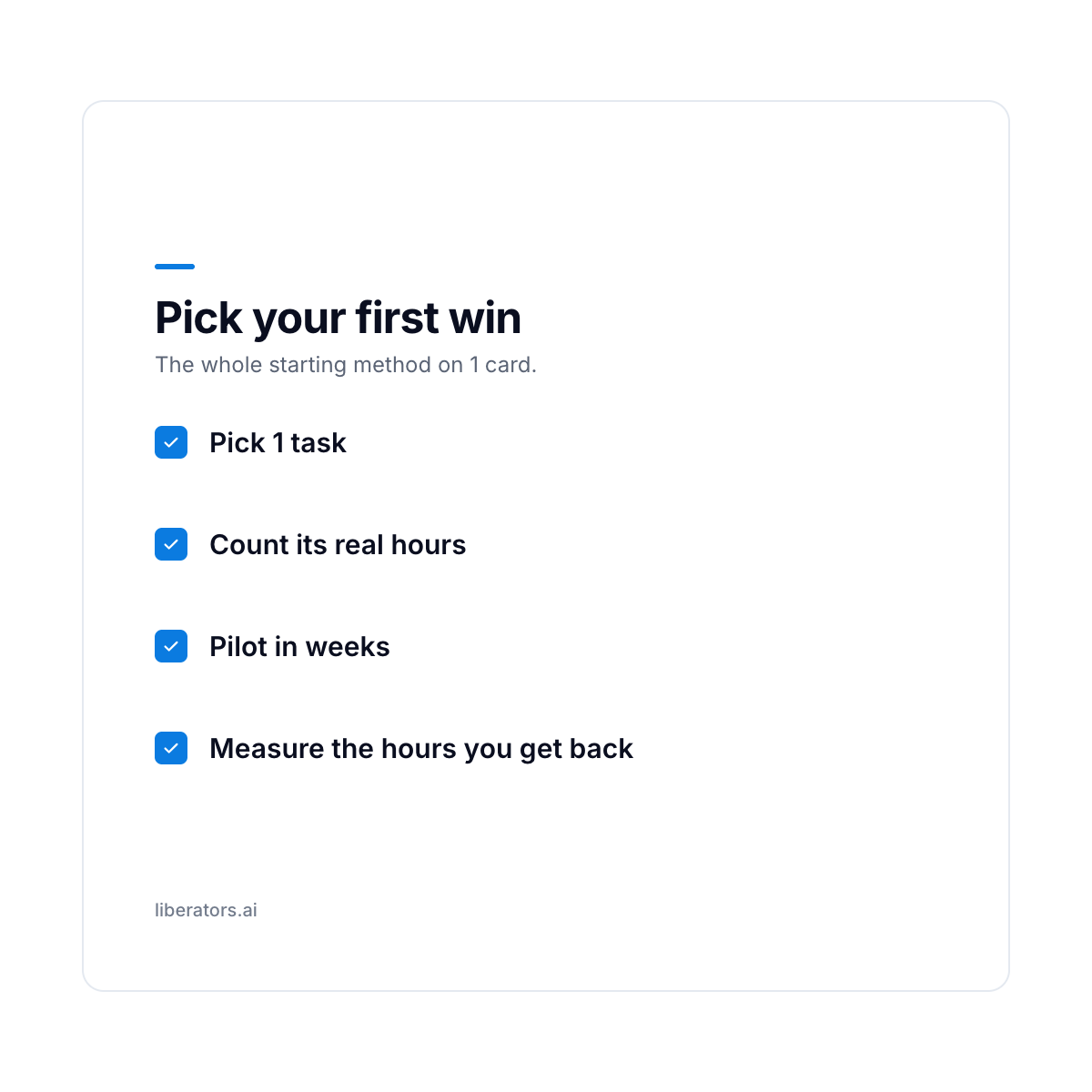 Run the 4 steps in order, on 1 task at a time.
A task worth starting with shows 3 signs, and a strong candidate has all 3:
- It repeats. Weekly at least, ideally daily. A task that happens 2 times a year won't repay the setup, however annoying it is.
- It lives in language or data. Emails, documents, messages, spreadsheet rows. If the work is mostly reading, writing, or moving information, software can do it. If it's mostly physical or relational, it can't.
- A knowledgeable person can check the output in 1 minute. Fast checking is what makes the whole thing safe. If reviewing the AI's work takes as long as doing the work, you've automated nothing.
Run your own operation through that filter and you'll usually find 3 or 4 candidates. Rank them by hours and you have a plan. Here's a rough sort to start from:
| Task | How often it repeats | Judgment needed | Good first candidate? |
|---|---|---|---|
| Answering repeat customer questions | Daily | Low | Yes, strong |
| Drafting quotes and proposals from inquiries | Weekly or more | Low to medium | Yes |
| Chasing invoices and sending follow-ups | Weekly | Low | Yes |
| Retyping data between systems | Daily | Low | Yes |
| Producing first drafts of marketing content | Weekly | Medium | Yes, with human review |
| Hiring and promotion calls | Occasional | High | No |
| Pricing strategy and negotiation | Occasional | High | No |
| Signing off legal or financial commitments | Occasional | High | No, stays human |
Best AI for small business by category
So which one do you buy? Ask "what's the best AI for small business" and the answer depends on the task you picked in the last section.
Most of what small businesses need falls into 5 categories:
- General assistants (the ChatGPT / Claude / Gemini class). Good for drafting, summarizing, and answering ad-hoc questions, as our guide to what Claude does for a business shows. This is where most teams start, and where many small businesses stop, because a general assistant knows nothing about your business until you connect it to your own data.
- Support and answering tools. Software, increasingly an AI agent, that answers customer questions from your documentation, day and night. For many small businesses this is the category with the most volume, and often the fastest payback.
- Sales and proposal tools. Draft quotes, keep the pipeline current, queue follow-ups from your past deals.
- Content and marketing tools. First drafts of posts, emails, and pages in your voice, for a human to approve.
- Operations and data tools. Move information between your systems so nobody retypes it.
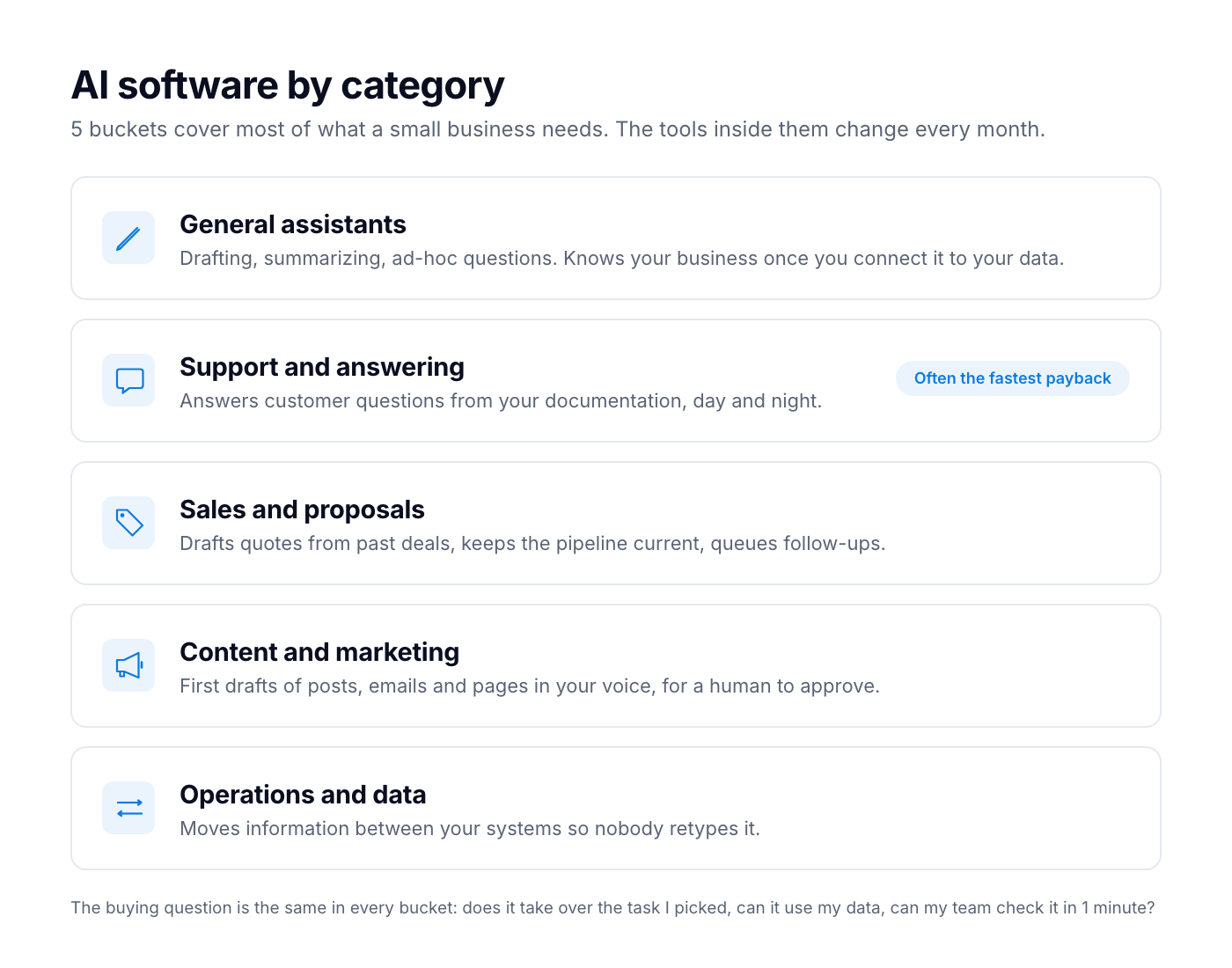 The 5 categories that cover most of what a small business needs.
Whichever category you're buying from, ask 3 questions. Does this take over the specific task I picked? Can it work from my own data? Can my team check its output in 1 minute? A tool that scores yes on all 3 is a good buy, whichever company makes it. If any answer is no, keep looking.
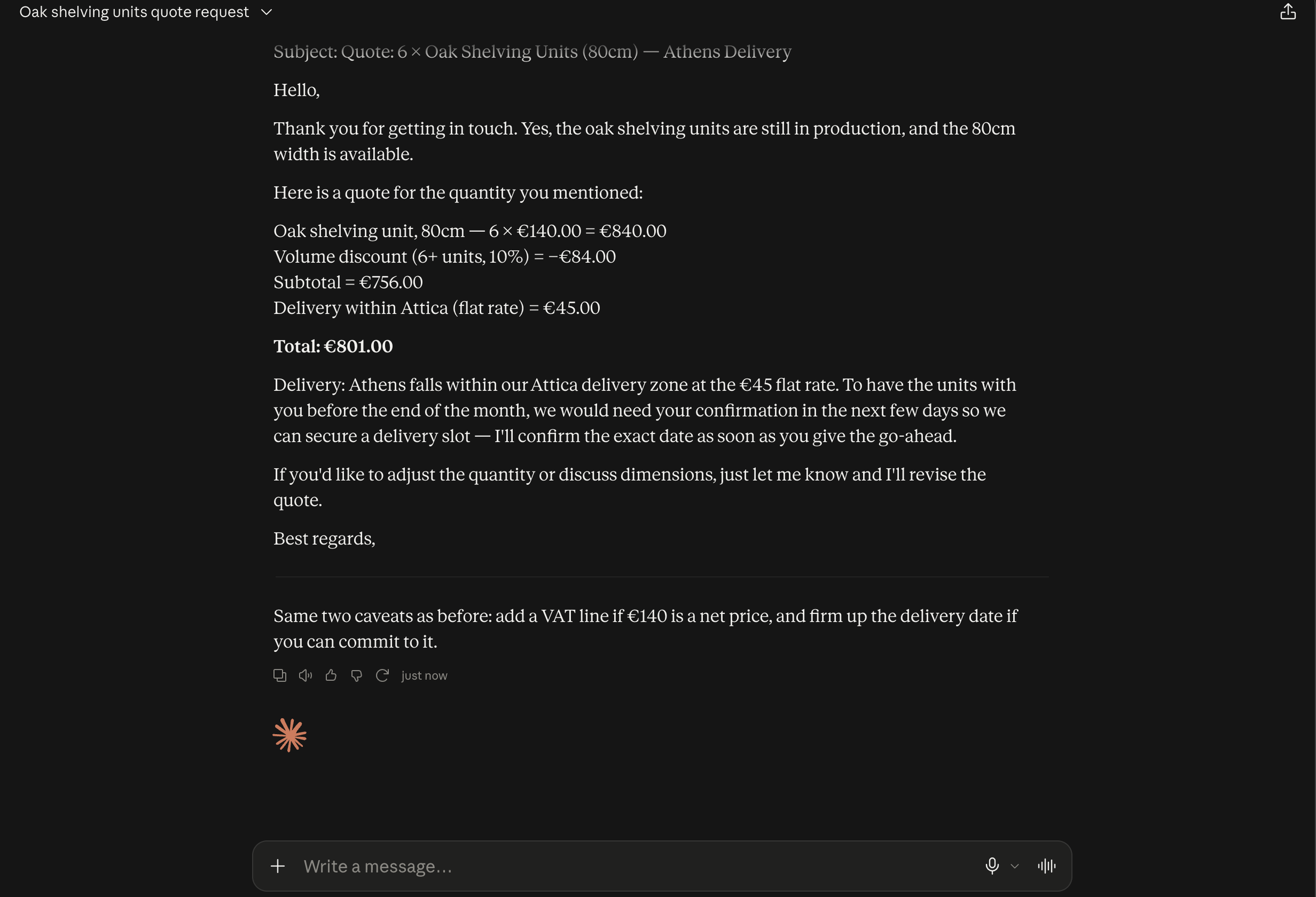 A first win in practice: Claude drafts the quote and flags the 2 things a person should check, the VAT line and the delivery date.
⚠ Caution: many "best tools" roundups earn affiliate fees from the tools they rank. Judge a tool on the hours it saves on your own task.
1 more thing to settle before you buy: what happens to the documents you connect. Whether a provider trains its models on your data is a contract term, and any serious setup states it in writing. Our Claude vs ChatGPT guide lists the 2 questions that settle it on a vendor call.
When a small business should not invest in AI yet
Some small businesses shouldn't spend anything on AI yet. These 3 signs tell you if yours is among them.
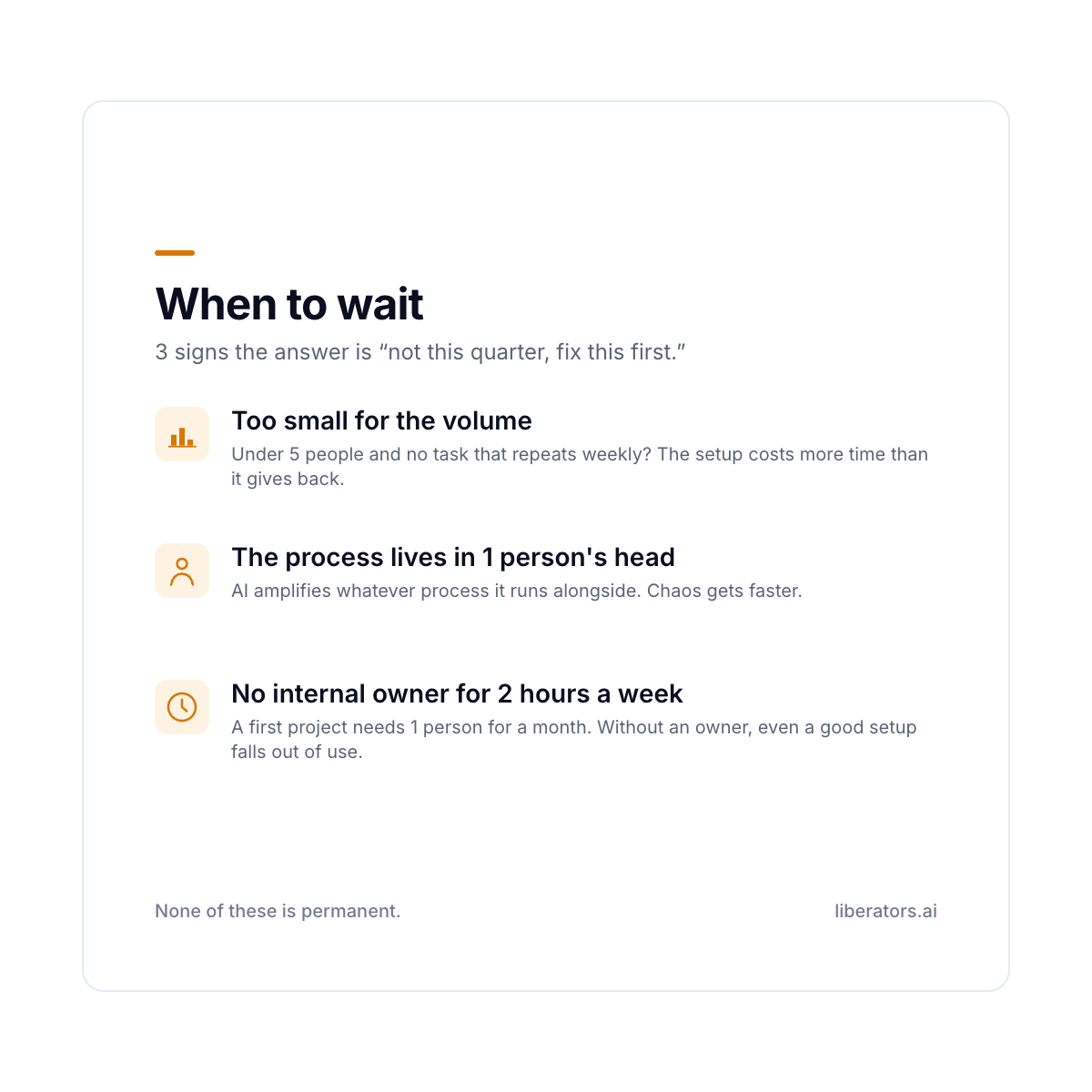 3 reasons to wait, and each can be fixed.
Wait, and fix the underlying thing first, if any of these are true:
- You're too small for the volume. Under 5 people with no task that repeats weekly? The setup costs more time than it gives back. Come back when 1 task takes hours every week.
- Your processes live in 1 person's head. AI amplifies whatever process it runs alongside. If your quoting process is chaos, you'll get chaos faster. Sometimes the right first project is fixing the process, with no software involved at all.
- Nobody internally can own it. A first project needs 1 person who can give it 2 hours a week for a month. Without an owner, even a good setup falls out of use.
If none of these applies to you, you're ready to start.
FAQ: AI for small business
What is the best AI for small business?
It depends on the task. The best AI for small business is the tool that takes over your most time-consuming repetitive task, works from your own data, and produces output a person can check in 1 minute. Pick the task first, then the tool.
How can AI be used for small businesses?
Mostly in 4 places: sales paperwork (quotes and proposals drafted from past deals), marketing (steady first drafts in your voice), customer support (repeat questions answered from your own documentation, at any hour), and operations (data moved between systems without retyping). Small businesses that get a first win pick the area that takes the most hours and prove it there before widening.
What AI tools should a small business start with?
Start with the category that matches your biggest source of repetition. For most small businesses that's customer support (answering repeat questions from your own documentation) or sales paperwork (drafting quotes and proposals). Both are high volume and low judgment, so the hours saved are easy to count.
How much does AI software for small business cost?
Most AI software for small business is sold as a monthly subscription, priced per seat or by usage. General assistants like ChatGPT and Claude cost $20 to $25 per seat per month on a team plan. Running costs have fallen fast: the Stanford AI Index 2025 puts the drop in inference cost for a GPT-3.5-level system at over 280-fold between November 2022 and October 2024. With running costs this low, the hard part is pointing it at the right task and having someone inside the company own the project.
Is there a single best AI tool for small business?
No. The best AI tool for small business depends on which task you're handing off. A tool that's perfect for answering support questions is useless for retyping data between systems. Match the tool to the task you picked, judge it on hours saved, and ignore roundup rankings that don't know your business.
How long before AI pays off in a small business?
For a focused first project, a working setup should be live within a few weeks. From then on you can count the hours it saves each time the task comes around. Broad "AI everywhere" programs take far longer, because they redesign whole processes. Start narrow, prove the hours come back, then widen. Distrust any timeline that can't show value inside a quarter.
Do I need a technical person to use AI in a small business?
Not to start. You need 1 owner who understands the task and can spare 2 hours a week to check the output for a month. A partner like us can handle the technical setup. Your owner decides which task matters and whether the result is good enough to trust.
The next step
If you run a company of 20 to 60 people and want help picking your first task, book a free 30-minute call. If the honest answer is "you don't need us yet, fix this first," that's what you'll hear.